> ## Documentation Index
> Fetch the complete documentation index at: https://anvil.servicetitan.com/llms.txt
> Use this file to discover all available pages before exploring further.

# Data Table – Design

> Data tables display complex tabular data with built-in support for sorting, pagination, row selection, and expansion.

export const DoDont = ({text, type, children}) => {
  return <>
      {type === "do" && <div className="do-dont do">
          {children && <div className="do-dont-content">{children}</div>}
          <Check>
            <p>
              <strong>Do</strong>
              {text && <span className="m-inline-start-1">{text}</span>}
            </p>
          </Check>
        </div>}
      {type === "dont" && <div className="do-dont dont">
          {children && <div className="do-dont-content">{children}</div>}
          <Danger>
            <p>
              <strong>Don't</strong>
              {text && <span className="m-inline-start-1">{text}</span>}
            </p>
          </Danger>
        </div>}
      {type === "caution" && <div className="do-dont caution">
          {children && <div className="do-dont-content">{children}</div>}
          <Warning>
            <p>
              <strong>Caution</strong>
              {text && <span className="m-inline-start-1">{text}</span>}
            </p>
          </Warning>
        </div>}
    </>;
};

export const LiveCode = ({children, customHeight, clickToLoad, example, fullWidth, fullHeight, hideCodeInLiveCode, screenshot, screenshotOnly, showCode: showCodeProp}) => {
  const SCREENSHOTS_BASE = "https://servicetitan.github.io/anvil2-docs-live-code/screenshots";
  const STACKBLITZ_BASE = "https://stackblitz.com/github/servicetitan/anvil2-docs-live-code/tree/main/examples";
  const [showCodeBlock, setShowCodeBlock] = useState(showCodeProp ?? false);
  const [isLocalOverride, setIsLocalOverride] = useState(false);
  useEffect(() => {
    const examplePath = `/images/live-code-screenshots-tmp/${example}.png`;
    fetch(examplePath, {
      method: "HEAD"
    }).then(r => {
      if (r.ok) setIsLocalOverride(true);
    }).catch(() => {});
  }, [example]);
  const screenshotBase = isLocalOverride ? "/images/live-code-screenshots-tmp" : SCREENSHOTS_BASE;
  if (screenshotOnly) {
    return <Frame className="flex flex-col">
        <div className="flex dark:hidden" style={{
      justifyContent: "center",
      alignItems: "center",
      width: fullWidth ? "100%" : "50%",
      minHeight: fullHeight ? "284px" : undefined,
      background: "#FFFFFF"
    }}>
          <img srcset={`${screenshotBase}/${example}.png, ${screenshotBase}/${example}-2x.png 2x`} src={`${screenshotBase}/${example}.png`} alt={example} noZoom />
        </div>
        <div className="hidden dark:flex" style={{
      justifyContent: "center",
      alignItems: "center",
      width: fullWidth ? "100%" : "50%",
      minHeight: fullHeight ? "284px" : undefined,
      background: "#141414"
    }}>
          <img srcset={`${screenshotBase}/${example}-dark.png, ${screenshotBase}/${example}-dark-2x.png 2x`} src={`${screenshotBase}/${example}-dark.png`} alt={example} noZoom />
        </div>
      </Frame>;
  }
  if (screenshot) {
    return <Frame className="flex flex-col -mb-2">
        <div className="flex dark:hidden bg-white dark:bg-codeblock border border-gray-950/10 dark:border-white/10 dark:twoslash-dark rounded-2xl overflow-hidden" style={{
      justifyContent: "center",
      alignItems: "center",
      width: fullWidth ? "100%" : "50%",
      minHeight: fullHeight ? "284px" : undefined
    }}>
          <img srcset={`${screenshotBase}/${example}.png, ${screenshotBase}/${example}-2x.png 2x`} src={`${screenshotBase}/${example}.png`} alt={example} noZoom />
        </div>

        <div className="hidden dark:flex bg-white dark:bg-codeblock border border-gray-950/10 dark:border-white/10 dark:twoslash-dark rounded-2xl overflow-hidden" style={{
      background: "#141414",
      justifyContent: "center",
      alignItems: "center",
      width: fullWidth ? "100%" : "50%",
      minHeight: fullHeight ? "284px" : undefined
    }}>
          <img srcset={`${screenshotBase}/${example}-dark.png, ${screenshotBase}/${example}-dark-2x.png 2x`} src={`${screenshotBase}/${example}-dark.png`} alt={example} noZoom />
        </div>

        <div className="flex justify-end items-center text-xs py-2 px-1 gap-4">
          {!showCodeProp ? <button className="inline-flex justify-end items-center text-gray-700 dark:text-gray-50 hover:text-blue-500 dark:hover:text-blue-300 transition-colors group self-end gap-1 cursor-pointer" onClick={() => setShowCodeBlock(!showCodeBlock)} style={{
      appearance: "none"
    }}>
              <Icon icon="code" size="12px" className="group-hover:bg-blue-500 dark:group-hover:bg-blue-300" />
              <span>{showCodeBlock ? "Hide code" : "Show code"}</span>
            </button> : null}

          <a className="inline-flex justify-end items-center hover:text-blue-500 dark:hover:text-blue-300 transition-colors group self-end gap-1" href={`${STACKBLITZ_BASE}/${example}?file=src/App.tsx`} target="_blank" rel="noreferrer">
            <Icon icon="bolt" size="12px" className="group-hover:bg-blue-500 dark:group-hover:bg-blue-300" />
            <span>StackBlitz demo</span>
          </a>
        </div>

        <div className="grid transition-[grid-template-rows] duration-300 ease-in-out overflow-auto overflow-y-hidden overflow-x-auto" style={showCodeBlock ? {
      gridTemplateRows: "1fr"
    } : {
      gridTemplateRows: "0fr"
    }}>
          <div style={{
      minHeight: 0,
      overflowX: "auto",
      overflowY: "hidden",
      marginBlockStart: "-1.25rem",
      marginBlockEnd: "-1.5rem"
    }}>
            {children}
          </div>
        </div>
      </Frame>;
  } else {
    return <div style={{
      display: "flex",
      width: fullWidth ? "100%" : "50%",
      minHeight: customHeight ? customHeight : "316px",
      resize: "vertical",
      overflow: "auto"
    }}>
        <iframe title={example} style={{
      flex: 1,
      width: fullWidth ? "100%" : "50%",
      minHeight: customHeight ? customHeight : "316px"
    }} src={`${STACKBLITZ_BASE}/${example}?embed=1&hideNavigation=1&hideExplorer=1&terminalHeight=0&file=src/App.tsx${clickToLoad ? "&ctl=1" : ""}${hideCodeInLiveCode ? "&view=preview" : ""}`} allow="accelerometer; ambient-light-sensor; camera; encrypted-media; geolocation; gyroscope; hid; microphone; midi; payment; usb; vr; xr-spatial-tracking" sandbox="allow-forms allow-modals allow-popups allow-presentation allow-same-origin allow-scripts" />
      </div>;
  }
};

<Note>
  **Beta Feature**

  This feature is currently in beta, and needs to be imported from `@servicetitan/anvil2/beta`.

  While we hope to minimize breaking changes, they may occur due to feedback we receive or other improvements. These will always be documented in the changelog and communicated in Slack.

  Please reach out in the [#ask-designsystem](https://servicetitan.enterprise.slack.com/archives/CBSRGHTRS) channel with any questions or feedback!
</Note>

<LiveCode example="data-table-playground" screenshot fullWidth>
  ```tsx lines theme={null}
  import {
    DataTable,
    createColumnHelper,
    chipsFormatter,
    currencyFormatter,
    type TableRow,
  } from "@servicetitan/anvil2/beta";

  type Status = "pending" | "shipped" | "processing" | "completed" | "cancelled";
  type PaymentType =
    | "credit_card"
    | "cash"
    | "bank_transfer"
    | "check"
    | "paypal";

  type StatusValue = OrderData["status"];

  type OrderData = {
    id: string;
    amount: number;
    status?: Status[];
    order_date: string;
    payment_type: PaymentType;
  };

  const data: TableRow<OrderData>[] = [
    {
      id: "ORD-2024-001",
      amount: 2450.75,
      status: ["completed"],
      order_date: "09/15/2024",
      payment_type: "credit_card",
    },
    {
      id: "ORD-2024-002",
      amount: 15750.0,
      status: ["shipped"],
      order_date: "09/18/2024",
      payment_type: "bank_transfer",
    },
    {
      id: "ORD-2024-003",
      amount: 89.99,
      status: ["pending"],
      order_date: "09/20/2024",
      payment_type: "paypal",
    },
    {
      id: "ORD-2024-004",
      amount: 1200.5,
      status: ["processing"],
      order_date: "09/12/2024",
      payment_type: "credit_card",
    },
    {
      id: "ORD-2024-005",
      amount: 0.0,
      status: ["cancelled"],
      order_date: "09/10/2024",
      payment_type: "credit_card",
    },
    {
      id: "ORD-2024-006",
      amount: 8925.0,
      status: ["completed"],
      order_date: "08/28/2024",
      payment_type: "check",
    },
    {
      id: "ORD-2024-007",
      amount: 45.99,
      status: ["shipped"],
      order_date: "09/21/2024",
      payment_type: "cash",
    },
  ];

  const createColumn = createColumnHelper<OrderData>();

  const statusOrder: Record<Status, number> = {
    pending: 1,
    processing: 2,
    shipped: 3,
    completed: 4,
    cancelled: 5,
  };

  const formatStatus = (value: StatusValue) =>
    chipsFormatter(
      value?.map((status) => ({
        label: status.charAt(0).toUpperCase() + status.slice(1),
        color:
          status === "pending"
            ? "#f59e0b"
            : status === "shipped"
              ? "#8b5cf6"
              : status === "processing"
                ? "#3b82f6"
                : status === "completed"
                  ? "#10b981"
                  : "#ef4444",
      })),
    );

  const sortStatus = (valueA: StatusValue, valueB: StatusValue) => {
    const statusA = valueA && valueA.length > 0 ? statusOrder[valueA[0]] : 999;
    const statusB = valueB && valueB.length > 0 ? statusOrder[valueB[0]] : 999;

    return statusA - statusB;
  };

  const formatPaymentType = (value: PaymentType) => (
    <span>
      {value === "credit_card"
        ? "Credit Card"
        : value === "cash"
          ? "Cash"
          : value === "bank_transfer"
            ? "Bank Transfer"
            : value === "check"
              ? "Check"
              : value === "paypal"
                ? "PayPal"
                : value}
    </span>
  );

  const columns = [
    createColumn("id", {
      header: { label: "Order ID" },
      sortable: true,
      resizable: true,
      minWidth: 130,
      footerContent: (
        <span>
          <b>Total:</b> {data.length}
        </span>
      ),
    }),
    createColumn("amount", {
      header: { label: "Amount" },
      renderCell: (value: OrderData["amount"]) => currencyFormatter(value),
      sortable: true,
      footerContent: [
        <span key="total">
          {currencyFormatter(data.reduce((acc, row) => acc + row.amount, 0))}
        </span>,
        <span key="average">
          {currencyFormatter(
            data.reduce((acc, row) => acc + row.amount, 0) / data.length,
          )}{" "}
          (avg)
        </span>,
      ],
    }),
    createColumn("status", {
      header: { label: "Status" },
      resizable: true,
      renderCell: (value: StatusValue) => formatStatus(value),
      sortable: sortStatus,
    }),
    createColumn("order_date", {
      header: { label: "Order Date" },
      sortable: true,
    }),
    createColumn("payment_type", {
      header: { label: "Payment Type" },
      renderCell: (value: PaymentType) => formatPaymentType(value),
      sortable: true,
      minWidth: 150,
    }),
  ];

  function App() {
    return <DataTable data={data} columns={columns} />;
  }

  export default App;
  ```
</LiveCode>

## Anatomy

<img src="https://mintcdn.com/servicetitan/G8Md3kIQ0EqRzkMI/images/docs/web/components/data-table/anatomy.png?fit=max&auto=format&n=G8Md3kIQ0EqRzkMI&q=85&s=23b5072667341f8053ce26abbfef5f93" alt="Anatomy of DataTable" width="3966" height="2430" data-path="images/docs/web/components/data-table/anatomy.png" />

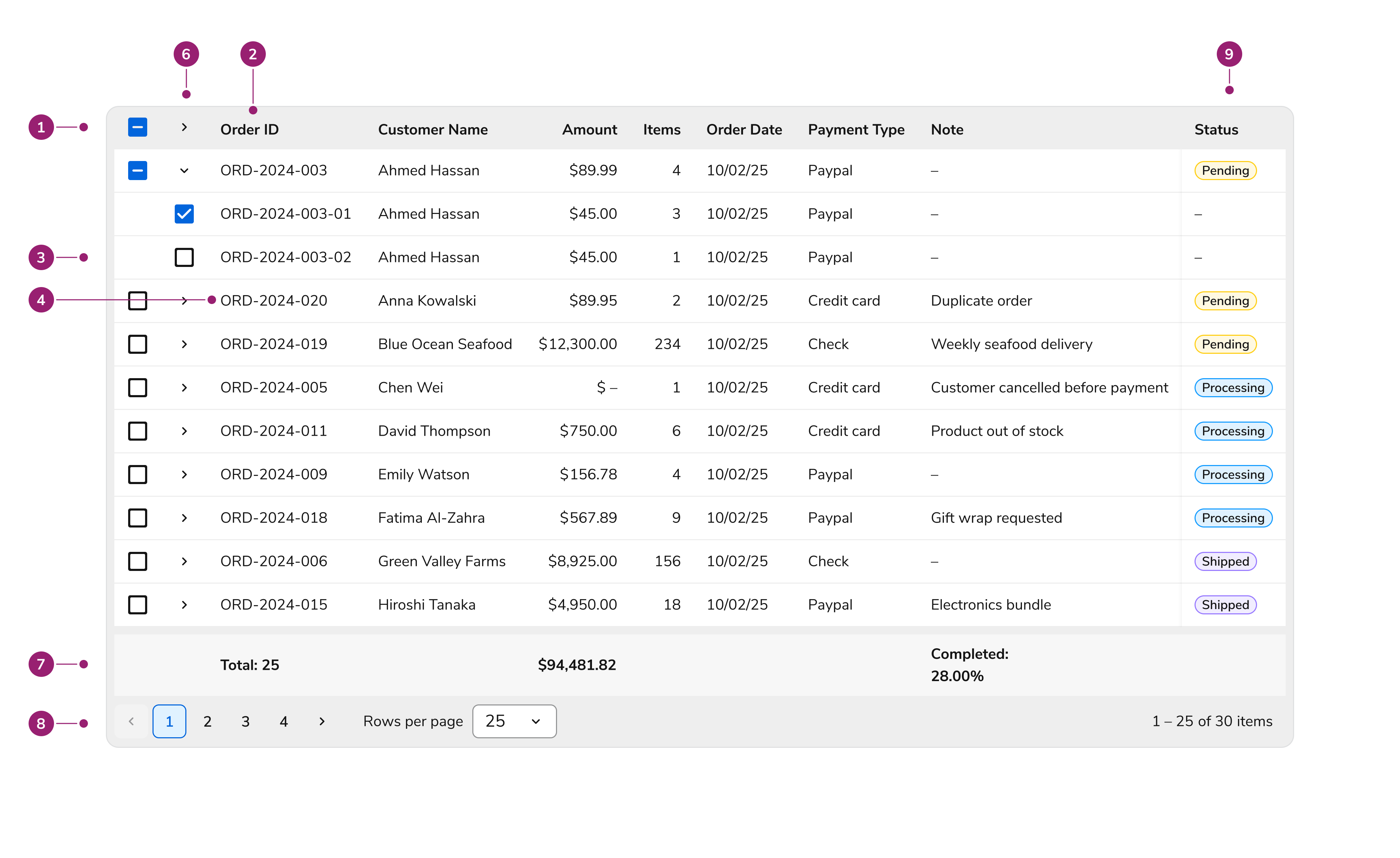
The DataTable consists of several key structural elements:

1. **Header row** – Contains column labels with optional sort indicators
2. **Header cell** – Individual column header with label and optional sorting control
3. **Body rows** – Data rows containing cell content
4. **Body cells** – Individual data cells with formatted content
5. **Selection column** – Optional checkbox column for row selection
6. **Expansion column** – Optional expand/collapse control for sub-rows or sub-components. Shifts with content
7. **Footer row** – Optional summary or aggregate data
8. **Pagination controls** – Navigation for paginated data sets
9. **Pinned/locked column** – Column that stays in place as user scrolls

## Options

### Sortable Columns

<LiveCode example="data-table-sorting" screenshot fullWidth>
  ```tsx lines theme={null}
  import {
    DataTable,
    createColumnHelper,
    chipsFormatter,
    currencyFormatter,
    type TableRow,
  } from "@servicetitan/anvil2/beta";

  type Status = "pending" | "shipped" | "processing" | "completed" | "cancelled";
  type PaymentType =
    | "credit_card"
    | "cash"
    | "bank_transfer"
    | "check"
    | "paypal";

  type StatusValue = OrderData["status"];

  type OrderData = {
    id: string;
    amount: number;
    status?: Status[];
    order_date: string;
    payment_type: PaymentType;
  };

  const data: TableRow<OrderData>[] = [
    {
      id: "ORD-2024-001",
      amount: 2450.75,
      status: ["completed"],
      order_date: "09/15/2024",
      payment_type: "credit_card",
    },
    {
      id: "ORD-2024-002",
      amount: 15750.0,
      status: ["shipped"],
      order_date: "09/18/2024",
      payment_type: "bank_transfer",
    },
    {
      id: "ORD-2024-003",
      amount: 89.99,
      status: ["pending"],
      order_date: "09/20/2024",
      payment_type: "paypal",
    },
    {
      id: "ORD-2024-004",
      amount: 1200.5,
      status: ["processing"],
      order_date: "09/12/2024",
      payment_type: "credit_card",
    },
    {
      id: "ORD-2024-005",
      amount: 0.0,
      status: ["cancelled"],
      order_date: "09/10/2024",
      payment_type: "credit_card",
    },
    {
      id: "ORD-2024-006",
      amount: 8925.0,
      status: ["completed"],
      order_date: "08/28/2024",
      payment_type: "check",
    },
    {
      id: "ORD-2024-007",
      amount: 45.99,
      status: ["shipped"],
      order_date: "09/21/2024",
      payment_type: "cash",
    },
    {
      id: "ORD-2024-008",
      amount: 3780.25,
      status: ["processing"],
      order_date: "09/19/2024",
      payment_type: "bank_transfer",
    },
    {
      id: "ORD-2024-009",
      amount: 156.78,
      status: ["completed"],
      order_date: "09/14/2024",
      payment_type: "paypal",
    },
    {
      id: "ORD-2024-010",
      amount: 2100.0,
      status: ["shipped", "cancelled"],
      order_date: "09/22/2024",
      payment_type: "credit_card",
    },
  ];

  const createColumn = createColumnHelper<OrderData>();

  const statusOrder: Record<Status, number> = {
    pending: 1,
    processing: 2,
    shipped: 3,
    completed: 4,
    cancelled: 5,
  };

  const formatStatus = (value: StatusValue) =>
    chipsFormatter(
      value?.map((status) => ({
        label: status.charAt(0).toUpperCase() + status.slice(1),
        color:
          status === "pending"
            ? "#f59e0b"
            : status === "shipped"
              ? "#8b5cf6"
              : status === "processing"
                ? "#3b82f6"
                : status === "completed"
                  ? "#10b981"
                  : "#ef4444",
      })),
    );

  const sortStatus = (valueA: StatusValue, valueB: StatusValue) => {
    const statusA = valueA && valueA.length > 0 ? statusOrder[valueA[0]] : 999;
    const statusB = valueB && valueB.length > 0 ? statusOrder[valueB[0]] : 999;

    return statusA - statusB;
  };

  const formatPaymentType = (value: PaymentType) => (
    <span>
      {value === "credit_card"
        ? "Credit Card"
        : value === "cash"
          ? "Cash"
          : value === "bank_transfer"
            ? "Bank Transfer"
            : value === "check"
              ? "Check"
              : value === "paypal"
                ? "PayPal"
                : value}
    </span>
  );

  const columns = [
    createColumn("id", {
      header: { label: "Order ID" },
      sortable: true,
      resizable: true,
      minWidth: 130,
      footerContent: (
        <span>
          <b>Total:</b> {data.length}
        </span>
      ),
    }),
    createColumn("amount", {
      header: { label: "Amount" },
      renderCell: (value: OrderData["amount"]) => currencyFormatter(value),
      sortable: true,
      footerContent: [
        <span key="total">
          {currencyFormatter(data.reduce((acc, row) => acc + row.amount, 0))}
        </span>,
        <span key="average">
          {currencyFormatter(
            data.reduce((acc, row) => acc + row.amount, 0) / data.length,
          )}{" "}
          (avg)
        </span>,
      ],
    }),
    createColumn("status", {
      header: { label: "Status" },
      resizable: true,
      renderCell: (value: StatusValue) => formatStatus(value),
      sortable: sortStatus,
    }),
    createColumn("order_date", {
      header: { label: "Order Date" },
      sortable: true,
    }),
    createColumn("payment_type", {
      header: { label: "Payment Type" },
      renderCell: (value: PaymentType) => formatPaymentType(value),
      sortable: true,
      minWidth: 150,
    }),
  ];

  function App() {
    return (
      <DataTable
        data={data}
        columns={columns}
        defaultSortedColumn={{ id: "status", desc: false }}
      />
    );
  }

  export default App;
  ```
</LiveCode>

Enable sorting on columns to let users click the header and sort data in ascending or descending order. A sort indicator shows the current sort direction.

Clicking a sortable column header cycles through: ascending → descending → unsorted. Only one column can be sorted at a time.

| Sort State | Indicator    |
| ---------- | ------------ |
| Ascending  | Arrow up     |
| Descending | Arrow down   |
| Unsorted   | No indicator |

### Resizable Columns

Columns can optionally be made resizable. When this is turned on, users can resize columns by dragging the column border. Configure minimum and maximum widths to constrain resizing.

### Pinned Columns

<LiveCode example="data-table-pinned-columns" screenshot fullWidth>
  ```tsx lines theme={null}
  import {
    DataTable,
    createColumnHelper,
    chipsFormatter,
    currencyFormatter,
    type TableRow,
  } from "@servicetitan/anvil2/beta";

  type Status = "pending" | "shipped" | "processing" | "completed" | "cancelled";
  type PaymentType =
    | "credit_card"
    | "cash"
    | "bank_transfer"
    | "check"
    | "paypal";

  type StatusValue = OrderData["status"];

  type OrderData = {
    id: string;
    amount: number;
    status?: Status[];
    order_date: string;
    payment_type: PaymentType;
  };

  const data: TableRow<OrderData>[] = [
    {
      id: "ORD-2024-001",
      amount: 2450.75,
      status: ["completed"],
      order_date: "09/15/2024",
      payment_type: "credit_card",
    },
    {
      id: "ORD-2024-002",
      amount: 15750.0,
      status: ["shipped"],
      order_date: "09/18/2024",
      payment_type: "bank_transfer",
    },
    {
      id: "ORD-2024-003",
      amount: 89.99,
      status: ["pending"],
      order_date: "09/20/2024",
      payment_type: "paypal",
    },
    {
      id: "ORD-2024-004",
      amount: 1200.5,
      status: ["processing"],
      order_date: "09/12/2024",
      payment_type: "credit_card",
    },
    {
      id: "ORD-2024-005",
      amount: 0.0,
      status: ["cancelled"],
      order_date: "09/10/2024",
      payment_type: "credit_card",
    },
    {
      id: "ORD-2024-006",
      amount: 8925.0,
      status: ["completed"],
      order_date: "08/28/2024",
      payment_type: "check",
    },
    {
      id: "ORD-2024-007",
      amount: 45.99,
      status: ["shipped"],
      order_date: "09/21/2024",
      payment_type: "cash",
    },
  ];

  const createColumn = createColumnHelper<OrderData>();

  const statusOrder: Record<Status, number> = {
    pending: 1,
    processing: 2,
    shipped: 3,
    completed: 4,
    cancelled: 5,
  };

  const formatStatus = (value: StatusValue) =>
    chipsFormatter(
      value?.map((status) => ({
        label: status.charAt(0).toUpperCase() + status.slice(1),
        color:
          status === "pending"
            ? "#f59e0b"
            : status === "shipped"
              ? "#8b5cf6"
              : status === "processing"
                ? "#3b82f6"
                : status === "completed"
                  ? "#10b981"
                  : "#ef4444",
      })),
    );

  const sortStatus = (valueA: StatusValue, valueB: StatusValue) => {
    const statusA = valueA && valueA.length > 0 ? statusOrder[valueA[0]] : 999;
    const statusB = valueB && valueB.length > 0 ? statusOrder[valueB[0]] : 999;

    return statusA - statusB;
  };

  const formatPaymentType = (value: PaymentType) => (
    <span>
      {value === "credit_card"
        ? "Credit Card"
        : value === "cash"
          ? "Cash"
          : value === "bank_transfer"
            ? "Bank Transfer"
            : value === "check"
              ? "Check"
              : value === "paypal"
                ? "PayPal"
                : value}
    </span>
  );

  const columns = [
    createColumn("id", {
      header: { label: "Order ID" },
      sortable: true,
      resizable: true,
      minWidth: 130,
      footerContent: (
        <span>
          <b>Total:</b> {data.length}
        </span>
      ),
    }),
    createColumn("amount", {
      header: { label: "Amount" },
      renderCell: (value: OrderData["amount"]) => currencyFormatter(value),
      sortable: true,
      footerContent: [
        <span key="total">
          {currencyFormatter(data.reduce((acc, row) => acc + row.amount, 0))}
        </span>,
        <span key="average">
          {currencyFormatter(
            data.reduce((acc, row) => acc + row.amount, 0) / data.length,
          )}{" "}
          (avg)
        </span>,
      ],
    }),
    createColumn("status", {
      header: { label: "Status" },
      resizable: true,
      renderCell: (value: StatusValue) => formatStatus(value),
      sortable: sortStatus,
    }),
    createColumn("order_date", {
      header: { label: "Order Date" },
      sortable: true,
    }),
    createColumn("payment_type", {
      header: { label: "Payment Type" },
      renderCell: (value: PaymentType) => formatPaymentType(value),
      sortable: true,
      minWidth: 150,
    }),
  ];

  function App() {
    return (
      <DataTable
        data={data}
        columns={columns.map((column, index) => ({
          ...column,
          pinned: index === 0 ? "left" : index === 4 ? "right" : undefined,
        }))}
      />
    );
  }

  export default App;
  ```
</LiveCode>

When tables have many columns requiring horizontal scroll, pin essential columns (like row identifiers or action columns). Pinned columns stay in place during horizontal scrolling, keeping important data visible.

| Pinning | Behavior                                             |
| ------- | ---------------------------------------------------- |
| Left    | Column sticks to left edge during horizontal scroll  |
| Right   | Column sticks to right edge during horizontal scroll |

### Grouped Columns

<LiveCode example="data-table-grouped-columns" screenshot fullWidth>
  ```tsx lines theme={null}
  import {
    DataTable,
    createColumnHelper,
    chipsFormatter,
    currencyFormatter,
    type TableRow,
  } from "@servicetitan/anvil2/beta";

  type Status = "pending" | "shipped" | "processing" | "completed" | "cancelled";
  type PaymentType =
    | "credit_card"
    | "cash"
    | "bank_transfer"
    | "check"
    | "paypal";

  type StatusValue = OrderData["status"];

  type OrderData = {
    id: string;
    amount: number;
    status?: Status[];
    order_date: string;
    payment_type: PaymentType;
  };

  const data: TableRow<OrderData>[] = [
    {
      id: "ORD-2024-001",
      amount: 2450.75,
      status: ["completed"],
      order_date: "09/15/2024",
      payment_type: "credit_card",
    },
    {
      id: "ORD-2024-002",
      amount: 15750.0,
      status: ["shipped"],
      order_date: "09/18/2024",
      payment_type: "bank_transfer",
    },
    {
      id: "ORD-2024-003",
      amount: 89.99,
      status: ["pending"],
      order_date: "09/20/2024",
      payment_type: "paypal",
    },
    {
      id: "ORD-2024-004",
      amount: 1200.5,
      status: ["processing"],
      order_date: "09/12/2024",
      payment_type: "credit_card",
    },
    {
      id: "ORD-2024-005",
      amount: 0.0,
      status: ["cancelled"],
      order_date: "09/10/2024",
      payment_type: "credit_card",
    },
    {
      id: "ORD-2024-006",
      amount: 8925.0,
      status: ["completed"],
      order_date: "08/28/2024",
      payment_type: "check",
    },
    {
      id: "ORD-2024-007",
      amount: 45.99,
      status: ["shipped"],
      order_date: "09/21/2024",
      payment_type: "cash",
    },
  ];

  const createColumn = createColumnHelper<OrderData>();

  const statusOrder: Record<Status, number> = {
    pending: 1,
    processing: 2,
    shipped: 3,
    completed: 4,
    cancelled: 5,
  };

  const formatStatus = (value: StatusValue) =>
    chipsFormatter(
      value?.map((status) => ({
        label: status.charAt(0).toUpperCase() + status.slice(1),
        color:
          status === "pending"
            ? "#f59e0b"
            : status === "shipped"
              ? "#8b5cf6"
              : status === "processing"
                ? "#3b82f6"
                : status === "completed"
                  ? "#10b981"
                  : "#ef4444",
      })),
    );

  const sortStatus = (valueA: StatusValue, valueB: StatusValue) => {
    const statusA = valueA && valueA.length > 0 ? statusOrder[valueA[0]] : 999;
    const statusB = valueB && valueB.length > 0 ? statusOrder[valueB[0]] : 999;

    return statusA - statusB;
  };

  const formatPaymentType = (value: PaymentType) => (
    <span>
      {value === "credit_card"
        ? "Credit Card"
        : value === "cash"
          ? "Cash"
          : value === "bank_transfer"
            ? "Bank Transfer"
            : value === "check"
              ? "Check"
              : value === "paypal"
                ? "PayPal"
                : value}
    </span>
  );

  // Define individual columns that will be grouped
  const orderInfoColumns = [
    createColumn("id", {
      header: {
        label: "Order ID",
        required: true,
        moreInfo: "Unique order identifier used in downstream workflows.",
      },
      sortable: true,
      resizable: true,
      minWidth: 130,
      footerContent: (
        <span>
          <b>Total:</b> {data.length}
        </span>
      ),
    }),
    createColumn("order_date", {
      header: { label: "Order Date" },
      sortable: true,
    }),
    createColumn("status", {
      header: { label: "Status" },
      resizable: true,
      renderCell: (value: StatusValue) => formatStatus(value),
      sortable: sortStatus,
    }),
  ];

  const paymentColumns = [
    createColumn("amount", {
      header: { label: "Amount" },
      renderCell: (value: OrderData["amount"]) => currencyFormatter(value),
      sortable: true,
      footerContent: [
        <span key="total">
          {currencyFormatter(data.reduce((acc, row) => acc + row.amount, 0))}
        </span>,
        <span key="average">
          {currencyFormatter(
            data.reduce((acc, row) => acc + row.amount, 0) / data.length,
          )}{" "}
          (avg)
        </span>,
      ],
    }),
    createColumn("payment_type", {
      header: { label: "Payment Type" },
      renderCell: (value: PaymentType) => formatPaymentType(value),
      sortable: true,
      minWidth: 150,
    }),
  ];

  // Create grouped columns using the group syntax
  const groupedColumns = [
    createColumn(
      { group: "order_info" },
      {
        header: {
          label: "Order Info",
          required: true,
          moreInfo: "Columns describing the order record.",
        },
        columns: orderInfoColumns,
      },
    ),
    createColumn(
      { group: "payment_details" },
      {
        header: { label: "Payment Details" },
        columns: paymentColumns,
      },
    ),
  ];

  function App() {
    return <DataTable data={data} columns={groupedColumns} />;
  }

  export default App;
  ```
</LiveCode>

Group columns under a parent header to create a two-level header structure. Use this to organize related data.

Please note that grouped columns cannot be pinned.

### Pagination

<LiveCode example="data-table-pagination" screenshot fullWidth>
  ```tsx lines theme={null}
  import {
    DataTable,
    createColumnHelper,
    chipsFormatter,
    currencyFormatter,
    type TableRow,
  } from "@servicetitan/anvil2/beta";

  type Status = "pending" | "shipped" | "processing" | "completed" | "cancelled";
  type PaymentType =
    | "credit_card"
    | "cash"
    | "bank_transfer"
    | "check"
    | "paypal";

  type StatusValue = OrderData["status"];

  type OrderData = {
    id: string;
    amount: number;
    status?: Status[];
    order_date: string;
    customer_name: string;
    payment_type: PaymentType;
  };

  const data: TableRow<OrderData>[] = [
    {
      id: "ORD-2024-001",
      amount: 2450.75,
      status: ["completed"],
      order_date: "09/15/2024",
      customer_name: "Sophia Rodriguez",
      payment_type: "credit_card",
    },
    {
      id: "ORD-2024-002",
      amount: 15750.0,
      status: ["shipped"],
      order_date: "09/18/2024",
      customer_name: "TechCorp Solutions",
      payment_type: "bank_transfer",
    },
    {
      id: "ORD-2024-003",
      amount: 89.99,
      status: ["pending"],
      order_date: "09/20/2024",
      customer_name: "Ahmed Hassan",
      payment_type: "paypal",
    },
    {
      id: "ORD-2024-004",
      amount: 1200.5,
      status: ["processing"],
      order_date: "09/12/2024",
      customer_name: "Maria Gonzalez",
      payment_type: "credit_card",
    },
    {
      id: "ORD-2024-005",
      amount: 0.0,
      status: ["cancelled"],
      order_date: "09/10/2024",
      customer_name: "Chen Wei",
      payment_type: "credit_card",
    },
    {
      id: "ORD-2024-006",
      amount: 8925.0,
      status: ["completed"],
      order_date: "08/28/2024",
      customer_name: "Green Valley Farms",
      payment_type: "check",
    },
    {
      id: "ORD-2024-007",
      amount: 45.99,
      status: ["shipped"],
      order_date: "09/21/2024",
      customer_name: "Jennifer Kim",
      payment_type: "cash",
    },
  ];

  const createColumn = createColumnHelper<OrderData>();

  const formatStatus = (value: StatusValue) =>
    chipsFormatter(
      value?.map((status) => ({
        label: status.charAt(0).toUpperCase() + status.slice(1),
        color:
          status === "pending"
            ? "#f59e0b"
            : status === "shipped"
              ? "#8b5cf6"
              : status === "processing"
                ? "#3b82f6"
                : status === "completed"
                  ? "#10b981"
                  : "#ef4444",
      })),
    );

  const formatPaymentType = (value: PaymentType) => (
    <span>
      {value === "credit_card"
        ? "Credit Card"
        : value === "cash"
          ? "Cash"
          : value === "bank_transfer"
            ? "Bank Transfer"
            : value === "check"
              ? "Check"
              : value === "paypal"
                ? "PayPal"
                : value}
    </span>
  );

  const columns = [
    createColumn("id", {
      header: { label: "Order ID" },
      sortable: true,
      resizable: true,
      minWidth: 130,
    }),
    createColumn("customer_name", {
      header: { label: "Customer" },
      sortable: true,
      resizable: true,
    }),
    createColumn("amount", {
      header: { label: "Amount" },
      renderCell: (value: OrderData["amount"]) => currencyFormatter(value),
      sortable: true,
    }),
    createColumn("status", {
      header: { label: "Status" },
      resizable: true,
      renderCell: (value: StatusValue) => formatStatus(value),
    }),
    createColumn("order_date", {
      header: { label: "Order Date" },
      sortable: true,
    }),
    createColumn("payment_type", {
      header: { label: "Payment Type" },
      renderCell: (value: PaymentType) => formatPaymentType(value),
      sortable: true,
      minWidth: 150,
    }),
  ];

  function App() {
    return (
      <DataTable
        data={data}
        columns={columns}
        pagination={{
          rowsPerPage: 5,
          defaultPageIndex: 0,
          showCount: true,
        }}
      />
    );
  }

  export default App;
  ```
</LiveCode>

When enabled, pagination controls display at the bottom of the table showing:

* Current page range (e.g., "1-25 of 100")
* Navigation buttons for first, previous, next, and last page

### Cell Types

The DataTable provides the following cell types:

<table>
  <thead>
    <tr>
      <th>Image</th>
      <th>Type of Cell</th>
      <th>Alignment</th>
    </tr>
  </thead>

  <tbody>
    <tr>
      <td>
        <img src="https://mintcdn.com/servicetitan/G8Md3kIQ0EqRzkMI/images/docs/web/components/data-table/cell-actions-light.png?fit=max&auto=format&n=G8Md3kIQ0EqRzkMI&q=85&s=c0b7f0121c059e672b936f0f8d44e7ef" className="dark:hidden max-w-48" alt="Action cell type" width="288" height="168" data-path="images/docs/web/components/data-table/cell-actions-light.png" />

        <img src="https://mintcdn.com/servicetitan/G8Md3kIQ0EqRzkMI/images/docs/web/components/data-table/cell-actions-dark.png?fit=max&auto=format&n=G8Md3kIQ0EqRzkMI&q=85&s=ad4b839c16fbcecae7d39e7b9d0ad190" className="hidden dark:block max-w-48" alt="Action cell type" width="288" height="168" data-path="images/docs/web/components/data-table/cell-actions-dark.png" />
      </td>

      <td>Actions cell</td>
      <td>Left</td>
    </tr>

    <tr>
      <td>
        <img src="https://mintcdn.com/servicetitan/G8Md3kIQ0EqRzkMI/images/docs/web/components/data-table/cell-chip-light.png?fit=max&auto=format&n=G8Md3kIQ0EqRzkMI&q=85&s=1943080e41be62530c48f9c12b1fff85" alt="Cell with chip/chips" className="dark:hidden max-w-48" width="192" height="120" data-path="images/docs/web/components/data-table/cell-chip-light.png" />

        <img src="https://mintcdn.com/servicetitan/uY3agii761wVqdcW/images/docs/web/components/data-table/cell-chip-dark.png?fit=max&auto=format&n=uY3agii761wVqdcW&q=85&s=1d70f74600a9bd3c5df8ed70475418f4" alt="Cell with chip/chips" className="hidden dark:block max-w-48" width="192" height="120" data-path="images/docs/web/components/data-table/cell-chip-dark.png" />
      </td>

      <td>Cell with chip/chips</td>
      <td>Left</td>
    </tr>

    <tr>
      <td>
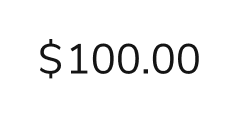
        <img src="https://mintcdn.com/servicetitan/G8Md3kIQ0EqRzkMI/images/docs/web/components/data-table/cell-currency-light.png?fit=max&auto=format&n=G8Md3kIQ0EqRzkMI&q=85&s=8a00f24085a0caf1115dc175819ee9fc" alt="Cell with currency" className="dark:hidden max-w-48" width="237" height="120" data-path="images/docs/web/components/data-table/cell-currency-light.png" />

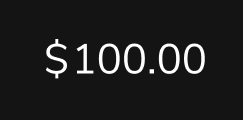
        <img src="https://mintcdn.com/servicetitan/G8Md3kIQ0EqRzkMI/images/docs/web/components/data-table/cell-currency-dark.png?fit=max&auto=format&n=G8Md3kIQ0EqRzkMI&q=85&s=5664e78f8ac63bbf613863bcb820bb09" alt="Cell with currency" className="hidden dark:block max-w-48" width="243" height="120" data-path="images/docs/web/components/data-table/cell-currency-dark.png" />
      </td>

      <td>Cell with currency</td>
      <td>Right</td>
    </tr>

    <tr>
      <td>
        <img src="https://mintcdn.com/servicetitan/G8Md3kIQ0EqRzkMI/images/docs/web/components/data-table/cell-custom-light.png?fit=max&auto=format&n=G8Md3kIQ0EqRzkMI&q=85&s=d4a3f21a293d413c4fd198c1a598df3f" alt="Custom cell" className="dark:hidden max-w-48" width="330" height="120" data-path="images/docs/web/components/data-table/cell-custom-light.png" />

        <img src="https://mintcdn.com/servicetitan/uY3agii761wVqdcW/images/docs/web/components/data-table/cell-custom-dark.png?fit=max&auto=format&n=uY3agii761wVqdcW&q=85&s=5386edd42567ec4add195fc3cc277e1d" alt="Custom cell" className="hidden dark:block max-w-48" width="330" height="120" data-path="images/docs/web/components/data-table/cell-custom-dark.png" />
      </td>

      <td>Custom cell</td>
      <td>Left</td>
    </tr>

    <tr>
      <td>
        <img src="https://mintcdn.com/servicetitan/G8Md3kIQ0EqRzkMI/images/docs/web/components/data-table/cell-date-light.png?fit=max&auto=format&n=G8Md3kIQ0EqRzkMI&q=85&s=501820a90f1094ed6bc5a5990787e60b" alt="Cell with date" className="dark:hidden max-w-48" width="315" height="120" data-path="images/docs/web/components/data-table/cell-date-light.png" />

        <img src="https://mintcdn.com/servicetitan/G8Md3kIQ0EqRzkMI/images/docs/web/components/data-table/cell-date-dark.png?fit=max&auto=format&n=G8Md3kIQ0EqRzkMI&q=85&s=ccee605ece4595a2d405650bf2440c72" alt="Cell with date" className="hidden dark:block max-w-48" width="318" height="120" data-path="images/docs/web/components/data-table/cell-date-dark.png" />
      </td>

      <td>Cell with date</td>
      <td>Right</td>
    </tr>

    <tr>
      <td>
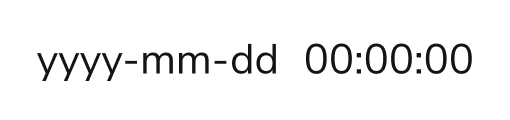
        <img src="https://mintcdn.com/servicetitan/G8Md3kIQ0EqRzkMI/images/docs/web/components/data-table/cell-datetime-light.png?fit=max&auto=format&n=G8Md3kIQ0EqRzkMI&q=85&s=344ba1fa68bd9876ee397b08267b0227" alt="Cell with date-time" className="dark:hidden max-w-48" width="510" height="120" data-path="images/docs/web/components/data-table/cell-datetime-light.png" />

        <img src="https://mintcdn.com/servicetitan/G8Md3kIQ0EqRzkMI/images/docs/web/components/data-table/cell-datetime-dark.png?fit=max&auto=format&n=G8Md3kIQ0EqRzkMI&q=85&s=62244d186223a6815c60ef011cb0d6aa" alt="Cell with date-time" className="hidden dark:block max-w-48" width="511" height="120" data-path="images/docs/web/components/data-table/cell-datetime-dark.png" />
      </td>

      <td>Cell with date-time</td>
      <td>Right</td>
    </tr>

    <tr>
      <td>
        <img src="https://mintcdn.com/servicetitan/ieR81UHlP_MquPKe/images/docs/web/components/data-table/cell-empty-light.png?fit=max&auto=format&n=ieR81UHlP_MquPKe&q=85&s=f6abeefb2fb13db8978784300172fd7f" alt="Empty cell" className="dark:hidden max-w-48" width="108" height="120" data-path="images/docs/web/components/data-table/cell-empty-light.png" />

        <img src="https://mintcdn.com/servicetitan/G8Md3kIQ0EqRzkMI/images/docs/web/components/data-table/cell-empty-dark.png?fit=max&auto=format&n=G8Md3kIQ0EqRzkMI&q=85&s=f4ba7e4844a6261b165bc7347b96942d" alt="Empty cell" className="hidden dark:block max-w-48" width="108" height="120" data-path="images/docs/web/components/data-table/cell-empty-dark.png" />
      </td>

      <td>Empty cell</td>
      <td>Left</td>
    </tr>

    <tr>
      <td>
        <img src="https://mintcdn.com/servicetitan/ieR81UHlP_MquPKe/images/docs/web/components/data-table/cell-number-light.png?fit=max&auto=format&n=ieR81UHlP_MquPKe&q=85&s=14aee78eb7d6dca42df680bfbfd17132" alt="Cell with number" className="dark:hidden max-w-48" width="99" height="120" data-path="images/docs/web/components/data-table/cell-number-light.png" />

        <img src="https://mintcdn.com/servicetitan/ieR81UHlP_MquPKe/images/docs/web/components/data-table/cell-number-dark.png?fit=max&auto=format&n=ieR81UHlP_MquPKe&q=85&s=5c578408b5e3d58a6c2272b134276dcf" alt="Cell with number" className="hidden dark:block max-w-48" width="99" height="120" data-path="images/docs/web/components/data-table/cell-number-dark.png" />
      </td>

      <td>Cell with number</td>
      <td>Right</td>
    </tr>

    <tr>
      <td>
        <img src="https://mintcdn.com/servicetitan/ieR81UHlP_MquPKe/images/docs/web/components/data-table/cell-percentage-light.png?fit=max&auto=format&n=ieR81UHlP_MquPKe&q=85&s=f85afb8406b0d700584bc2f40c8144cc" alt="Cell with percentage" className="dark:hidden max-w-48" width="192" height="120" data-path="images/docs/web/components/data-table/cell-percentage-light.png" />

        <img src="https://mintcdn.com/servicetitan/ieR81UHlP_MquPKe/images/docs/web/components/data-table/cell-percentage-dark.png?fit=max&auto=format&n=ieR81UHlP_MquPKe&q=85&s=1557caefd876bbf94b59dd8a760f6ee2" alt="Cell with percentage" className="hidden dark:block max-w-48" width="190" height="120" data-path="images/docs/web/components/data-table/cell-percentage-dark.png" />
      </td>

      <td>Cell with percentage</td>
      <td>Right</td>
    </tr>

    <tr>
      <td>
        <img src="https://mintcdn.com/servicetitan/ieR81UHlP_MquPKe/images/docs/web/components/data-table/cell-text-light.png?fit=max&auto=format&n=ieR81UHlP_MquPKe&q=85&s=6618d3d4b7874d470f9d1766b88f8d1e" alt="Cell with text" className="dark:hidden max-w-48" width="222" height="120" data-path="images/docs/web/components/data-table/cell-text-light.png" />

        <img src="https://mintcdn.com/servicetitan/ieR81UHlP_MquPKe/images/docs/web/components/data-table/cell-text-dark.png?fit=max&auto=format&n=ieR81UHlP_MquPKe&q=85&s=efe16c673f42ec2b00fd6a8aa1aaad55" alt="Cell with text" className="hidden dark:block max-w-48" width="222" height="120" data-path="images/docs/web/components/data-table/cell-text-dark.png" />
      </td>

      <td>Cell with text</td>
      <td>Left</td>
    </tr>

    <tr>
      <td>
        <img src="https://mintcdn.com/servicetitan/ieR81UHlP_MquPKe/images/docs/web/components/data-table/cell-time-light.png?fit=max&auto=format&n=ieR81UHlP_MquPKe&q=85&s=06d08cc813757407258f8cf04cd9c586" alt="Cell with time" className="dark:hidden max-w-48" width="243" height="120" data-path="images/docs/web/components/data-table/cell-time-light.png" />

        <img src="https://mintcdn.com/servicetitan/ieR81UHlP_MquPKe/images/docs/web/components/data-table/cell-time-dark.png?fit=max&auto=format&n=ieR81UHlP_MquPKe&q=85&s=4e7517bebef95b2c6a6b105dfe3387ed" alt="Cell with time" className="hidden dark:block max-w-48" width="243" height="120" data-path="images/docs/web/components/data-table/cell-time-dark.png" />
      </td>

      <td>Cell with time</td>
      <td>Right</td>
    </tr>
  </tbody>
</table>

## Behaviors

### Editing

<LiveCode example="data-table-editable" fullWidth screenshot>
  ```tsx lines theme={null}
  import {
    DataTable,
    createColumnHelper,
    chipsFormatter,
    type TableRow,
  } from "@servicetitan/anvil2/beta";

  import { useState } from "react";

  type Status = "pending" | "shipped" | "processing" | "completed" | "cancelled";
  type PaymentType =
    | "credit_card"
    | "cash"
    | "bank_transfer"
    | "check"
    | "paypal";
  type Category = "electronics" | "clothing" | "home" | "garden" | "other";

  type OrderData = {
    id: string;
    customer_name: string;
    status?: Status[];
    payment_type: PaymentType;
    categories: Category[];
  };

  const initialData: TableRow<OrderData>[] = [
    {
      id: "ORD-2024-001",
      customer_name: "Sophia Rodriguez",
      status: ["completed"],
      payment_type: "credit_card",
      categories: ["electronics", "home"],
    },
    {
      id: "ORD-2024-002",
      customer_name: "TechCorp Solutions",
      status: ["shipped"],
      payment_type: "bank_transfer",
      categories: ["electronics"],
    },
    {
      id: "ORD-2024-003",
      customer_name: "Ahmed Hassan",
      status: ["pending"],
      payment_type: "paypal",
      categories: ["clothing", "other"],
    },
    {
      id: "ORD-2024-004",
      customer_name: "Maria Gonzalez",
      status: ["processing"],
      payment_type: "credit_card",
      categories: ["home", "garden"],
    },
    {
      id: "ORD-2024-005",
      customer_name: "Chen Wei",
      status: ["cancelled"],
      payment_type: "credit_card",
      categories: ["electronics", "clothing"],
    },
    {
      id: "ORD-2024-006",
      customer_name: "Green Valley Farms",
      status: ["completed"],
      payment_type: "check",
      categories: ["garden"],
    },
    {
      id: "ORD-2024-007",
      customer_name: "Jennifer Kim",
      status: ["shipped"],
      payment_type: "cash",
      categories: ["clothing", "home"],
    },
  ];

  function App() {
    const [data, setData] = useState(initialData);

    const createColumn = createColumnHelper<OrderData>();

    const columns = [
      createColumn("id", {
        header: { label: "Order ID" },
        sortable: true,
        resizable: true,
        minWidth: 130,
        editConfig: {
          mode: "text",
          onChange: (value, rowId) => {
            setData((prev) =>
              prev.map((row) =>
                row.id === rowId ? { ...row, id: value as string } : row,
              ),
            );
          },
        },
      }),
      createColumn("customer_name", {
        header: { label: "Customer" },
        sortable: true,
        resizable: true,
        editConfig: {
          mode: "text",
          onChange: (value, rowId) => {
            setData((prev) =>
              prev.map((row) =>
                row.id === rowId
                  ? { ...row, customer_name: value as string }
                  : row,
              ),
            );
          },
        },
      }),
      createColumn("categories", {
        header: { label: "Categories" },
        minWidth: 180,
        resizable: true,
        renderCell: (value: Category[]) =>
          chipsFormatter(
            value?.map((val: Category) => ({
              label: val.charAt(0).toUpperCase() + val.slice(1),
            })),
            { truncateChips: true },
          ),
        editConfig: {
          mode: "multiselect",
          options: [
            { id: "electronics", label: "Electronics" },
            { id: "clothing", label: "Clothing" },
            { id: "home", label: "Home" },
            { id: "garden", label: "Garden" },
            { id: "other", label: "Other" },
          ],
          onChange: (options, rowId) => {
            const value = options.map((o) => String(o.id)) as Category[];
            setData((prev) =>
              prev.map((row) =>
                row.id === rowId ? { ...row, categories: value } : row,
              ),
            );
          },
        },
      }),
      createColumn("status", {
        header: { label: "Status" },
        resizable: true,
        renderCell: (value: Status[] | undefined) =>
          chipsFormatter(
            value?.map((val: Status) => ({
              label: val.charAt(0).toUpperCase() + val.slice(1),
              color:
                val === "pending"
                  ? "#f59e0b"
                  : val === "shipped"
                    ? "#8b5cf6"
                    : val === "processing"
                      ? "#3b82f6"
                      : val === "completed"
                        ? "#10b981"
                        : "#ef4444",
            })),
          ),
        sortable: (
          valueA: Status[] | undefined,
          valueB: Status[] | undefined,
        ) => {
          const statusOrder = {
            pending: 1,
            processing: 2,
            shipped: 3,
            completed: 4,
            cancelled: 5,
          } as const;

          const statusA =
            valueA && valueA.length > 0 ? statusOrder[valueA[0]] : 999;

          const statusB =
            valueB && valueB.length > 0 ? statusOrder[valueB[0]] : 999;

          return statusA - statusB;
        },
        editConfig: {
          mode: "multiselect",
          options: [
            { id: "pending", label: "Pending" },
            { id: "shipped", label: "Shipped" },
            { id: "processing", label: "Processing" },
            { id: "completed", label: "Completed" },
            { id: "cancelled", label: "Cancelled" },
          ],
          onChange: (options, rowId) => {
            const value = options.map((o) => String(o.id)) as Status[];
            setData((prev) =>
              prev.map((row) =>
                row.id === rowId ? { ...row, status: value } : row,
              ),
            );
          },
        },
      }),
      createColumn("payment_type", {
        header: { label: "Payment Type" },
        renderCell: (value: PaymentType) => (
          <span>
            {value === "credit_card"
              ? "Credit Card"
              : value === "cash"
                ? "Cash"
                : value === "bank_transfer"
                  ? "Bank Transfer"
                  : value === "check"
                    ? "Check"
                    : value === "paypal"
                      ? "PayPal"
                      : value}
          </span>
        ),
        sortable: true,
        minWidth: 180,
        editConfig: {
          mode: "select",
          options: [
            { id: "credit_card", label: "Credit Card" },
            { id: "cash", label: "Cash" },
            { id: "bank_transfer", label: "Bank Transfer" },
            { id: "check", label: "Check" },
            { id: "paypal", label: "PayPal" },
          ],
          onChange: (option, rowId) => {
            if (option) {
              setData((prev) =>
                prev.map((row) =>
                  row.id === rowId
                    ? { ...row, payment_type: String(option.id) as PaymentType }
                    : row,
                ),
              );
            }
          },
        },
      }),
    ];

    return <DataTable data={data} columns={columns} />;
  }

  export default App;
  ```
</LiveCode>

Columns can be made editable, which enables edit on hover per cell.

### Row Selection

<LiveCode example="data-table-controlled-selection" screenshot fullWidth>
  ```tsx lines theme={null}
  import {
    DataTable,
    createColumnHelper,
    chipsFormatter,
    currencyFormatter,
    type TableRow,
  } from "@servicetitan/anvil2/beta";

  import { useState } from "react";

  type Status = "pending" | "shipped" | "processing" | "completed" | "cancelled";
  type PaymentType =
    | "credit_card"
    | "cash"
    | "bank_transfer"
    | "check"
    | "paypal";

  type StatusValue = OrderData["status"];

  type OrderData = {
    id: string;
    amount: number;
    status?: Status[];
    order_date: string;
    payment_type: PaymentType;
  };

  const data: TableRow<OrderData>[] = [
    {
      id: "ORD-2024-001",
      amount: 2450.75,
      status: ["completed"],
      order_date: "09/15/2024",
      payment_type: "credit_card",
    },
    {
      id: "ORD-2024-002",
      amount: 15750.0,
      status: ["shipped"],
      order_date: "09/18/2024",
      payment_type: "bank_transfer",
    },
    {
      id: "ORD-2024-003",
      amount: 89.99,
      status: ["pending"],
      order_date: "09/20/2024",
      payment_type: "paypal",
    },
    {
      id: "ORD-2024-004",
      amount: 1200.5,
      status: ["processing"],
      order_date: "09/12/2024",
      payment_type: "credit_card",
    },
    {
      id: "ORD-2024-005",
      amount: 0.0,
      status: ["cancelled"],
      order_date: "09/10/2024",
      payment_type: "credit_card",
    },
    {
      id: "ORD-2024-006",
      amount: 8925.0,
      status: ["completed"],
      order_date: "08/28/2024",
      payment_type: "check",
    },
    {
      id: "ORD-2024-007",
      amount: 45.99,
      status: ["shipped"],
      order_date: "09/21/2024",
      payment_type: "cash",
    },
  ];

  const createColumn = createColumnHelper<OrderData>();

  const statusOrder: Record<Status, number> = {
    pending: 1,
    processing: 2,
    shipped: 3,
    completed: 4,
    cancelled: 5,
  };

  const formatStatus = (value: StatusValue) =>
    chipsFormatter(
      value?.map((status) => ({
        label: status.charAt(0).toUpperCase() + status.slice(1),
        color:
          status === "pending"
            ? "#f59e0b"
            : status === "shipped"
              ? "#8b5cf6"
              : status === "processing"
                ? "#3b82f6"
                : status === "completed"
                  ? "#10b981"
                  : "#ef4444",
      })),
    );

  const sortStatus = (valueA: StatusValue, valueB: StatusValue) => {
    const statusA = valueA && valueA.length > 0 ? statusOrder[valueA[0]] : 999;
    const statusB = valueB && valueB.length > 0 ? statusOrder[valueB[0]] : 999;

    return statusA - statusB;
  };

  const formatPaymentType = (value: PaymentType) => (
    <span>
      {value === "credit_card"
        ? "Credit Card"
        : value === "cash"
          ? "Cash"
          : value === "bank_transfer"
            ? "Bank Transfer"
            : value === "check"
              ? "Check"
              : value === "paypal"
                ? "PayPal"
                : value}
    </span>
  );

  const columns = [
    createColumn("id", {
      header: { label: "Order ID" },
      sortable: true,
      resizable: true,
      minWidth: 130,
      footerContent: (
        <span>
          <b>Total:</b> {data.length}
        </span>
      ),
    }),
    createColumn("amount", {
      header: { label: "Amount" },
      renderCell: (value: OrderData["amount"]) => currencyFormatter(value),
      sortable: true,
      footerContent: [
        <span key="total">
          {currencyFormatter(data.reduce((acc, row) => acc + row.amount, 0))}
        </span>,
        <span key="average">
          {currencyFormatter(
            data.reduce((acc, row) => acc + row.amount, 0) / data.length,
          )}{" "}
          (avg)
        </span>,
      ],
    }),
    createColumn("status", {
      header: { label: "Status" },
      resizable: true,
      renderCell: (value: StatusValue) => formatStatus(value),
      sortable: sortStatus,
    }),
    createColumn("order_date", {
      header: { label: "Order Date" },
      sortable: true,
    }),
    createColumn("payment_type", {
      header: { label: "Payment Type" },
      renderCell: (value: PaymentType) => formatPaymentType(value),
      sortable: true,
      minWidth: 150,
    }),
  ];

  function App() {
    const [selectedRowIds, setSelectedRowIds] = useState<
      TableRow<typeof data>[0]["id"][]
    >(["ORD-2024-002", "ORD-2024-002-0"]);

    const handleSelection = (
      newSelectedRowIds: TableRow<typeof data>[0]["id"][],
    ) => {
      setSelectedRowIds(newSelectedRowIds);
    };

    return (
      <DataTable
        data={data}
        columns={columns}
        isSelectable
        onSelectRow={handleSelection}
        selectedRowIds={selectedRowIds}
        defaultExpandedRowIds={["ORD-2024-002"]}
      />
    );
  }

  export default App;
  ```
</LiveCode>

When selection is enabled, a checkbox column appears as the first column. Users can select individual rows or use the header checkbox to select all visible rows.

| Selection State | Appearance                                               |
| --------------- | -------------------------------------------------------- |
| Unselected      | Empty checkbox                                           |
| Selected        | Checked checkbox                                         |
| Indeterminate   | Dash in checkbox (headers only, when some rows selected) |

### Row Expansion

Expand rows to show additional content in two ways:

1. **Sub-rows**: Nested rows with the same column structure as the parent
2. **Sub-components**: Custom content rendered below the parent row

<LiveCode example="data-table-expanded-rows" screenshot fullWidth>
  ```tsx lines theme={null}
  import {
    DataTable,
    createColumnHelper,
    chipsFormatter,
    currencyFormatter,
    type TableRow,
  } from "@servicetitan/anvil2/beta";

  import { useState } from "react";

  type Status = "pending" | "shipped" | "processing" | "completed" | "cancelled";
  type PaymentType =
    | "credit_card"
    | "cash"
    | "bank_transfer"
    | "check"
    | "paypal";

  type StatusValue = OrderData["status"];

  type OrderData = {
    id: string;
    amount: number;
    status?: Status[];
    order_date: string;
    customer_name: string;
    items: number;
    payment_type: PaymentType;
    note?: string;
  };

  const data: TableRow<OrderData>[] = [
    {
      id: "ORD-2024-001",
      amount: 2450.75,
      status: ["completed"],
      order_date: "09/15/2024",
      payment_type: "credit_card",
      items: 12,
      customer_name: "Sophia Rodriguez",
    },
    {
      id: "ORD-2024-002",
      amount: 15750.0,
      status: ["shipped"],
      order_date: "09/18/2024",
      payment_type: "bank_transfer",
      items: 45,
      customer_name: "TechCorp Solutions",
    },
    {
      id: "ORD-2024-003",
      amount: 89.99,
      status: ["pending"],
      items: 2,
      customer_name: "Ahmed Hassan",
      order_date: "09/20/2024",
      payment_type: "paypal",
    },
    {
      id: "ORD-2024-004",
      amount: 1200.5,
      status: ["processing"],
      order_date: "09/12/2024",
      payment_type: "credit_card",
      customer_name: "Maria Gonzalez",
      items: 8,
    },
    {
      id: "ORD-2024-005",
      amount: 0.0,
      status: ["cancelled"],
      order_date: "09/10/2024",
      payment_type: "credit_card",
      customer_name: "Chen Wei",
      items: 1,
    },
    {
      id: "ORD-2024-006",
      amount: 8925.0,
      status: ["completed"],
      order_date: "08/28/2024",
      payment_type: "check",
      customer_name: "Green Valley Farms",
      items: 156,
    },
    {
      id: "ORD-2024-007",
      amount: 45.99,
      customer_name: "Jennifer Kim",
      items: 1,
      status: ["shipped"],
      order_date: "09/21/2024",
      payment_type: "cash",
    },
  ];

  const createColumn = createColumnHelper<OrderData>();

  const statusOrder: Record<Status, number> = {
    pending: 1,
    processing: 2,
    shipped: 3,
    completed: 4,
    cancelled: 5,
  };

  const formatStatus = (value: StatusValue) =>
    chipsFormatter(
      value?.map((status) => ({
        label: status.charAt(0).toUpperCase() + status.slice(1),
        color:
          status === "pending"
            ? "#f59e0b"
            : status === "shipped"
              ? "#8b5cf6"
              : status === "processing"
                ? "#3b82f6"
                : status === "completed"
                  ? "#10b981"
                  : "#ef4444",
      })),
    );

  const sortStatus = (valueA: StatusValue, valueB: StatusValue) => {
    const statusA = valueA && valueA.length > 0 ? statusOrder[valueA[0]] : 999;
    const statusB = valueB && valueB.length > 0 ? statusOrder[valueB[0]] : 999;

    return statusA - statusB;
  };

  const formatPaymentType = (value: PaymentType) => (
    <span>
      {value === "credit_card"
        ? "Credit Card"
        : value === "cash"
          ? "Cash"
          : value === "bank_transfer"
            ? "Bank Transfer"
            : value === "check"
              ? "Check"
              : value === "paypal"
                ? "PayPal"
                : value}
    </span>
  );

  const columns = [
    createColumn("id", {
      header: { label: "Order ID" },
      sortable: true,
      resizable: true,
      minWidth: 130,
      footerContent: (
        <span>
          <b>Total:</b> {data.length}
        </span>
      ),
    }),
    createColumn("amount", {
      header: { label: "Amount" },
      renderCell: (value: OrderData["amount"]) => currencyFormatter(value),
      sortable: true,
      footerContent: [
        <span key="total">
          {currencyFormatter(data.reduce((acc, row) => acc + row.amount, 0))}
        </span>,
        <span key="average">
          {currencyFormatter(
            data.reduce((acc, row) => acc + row.amount, 0) / data.length,
          )}{" "}
          (avg)
        </span>,
      ],
    }),
    createColumn("status", {
      header: { label: "Status" },
      resizable: true,
      renderCell: (value: StatusValue) => formatStatus(value),
      sortable: sortStatus,
    }),
    createColumn("order_date", {
      header: { label: "Order Date" },
      sortable: true,
    }),
    createColumn("payment_type", {
      header: { label: "Payment Type" },
      renderCell: (value: PaymentType) => formatPaymentType(value),
      sortable: true,
      minWidth: 150,
    }),
  ];

  const expandedRowData: TableRow<OrderData>[] = data.map((row) => ({
    ...row,
    items: row.items * 2,
    subRows: [
      {
        ...row,
        id: `${row.id}-0`,
        items: row.items + 1,
        amount: row.amount / 2,
        status: undefined,
        note: undefined,
      },
      {
        ...row,
        id: `${row.id}-1`,
        items: row.items - 1,
        amount: row.amount / 2,
        status: undefined,
        note: undefined,
      },
    ],
  }));

  function App() {
    const [selectedRowIds, setSelectedRowIds] = useState<
      TableRow<typeof data>[0]["id"][]
    >(["ORD-2024-002", "ORD-2024-002-0"]);

    const handleSelection = (
      newSelectedRowIds: TableRow<typeof data>[0]["id"][],
    ) => {
      setSelectedRowIds(newSelectedRowIds);
    };

    return (
      <DataTable
        data={expandedRowData}
        columns={columns}
        isSelectable
        onSelectRow={handleSelection}
        selectedRowIds={selectedRowIds}
        defaultExpandedRowIds={["ORD-2024-002"]}
      />
    );
  }

  export default App;
  ```
</LiveCode>

## Visual States

### Header Cell States

<img src="https://mintcdn.com/servicetitan/ieR81UHlP_MquPKe/images/docs/web/components/data-table/header-states.png?fit=max&auto=format&n=ieR81UHlP_MquPKe&q=85&s=acc9e1637aa7b3953a509bccf11c2b92" alt="Data table header states" width="807" height="165" data-path="images/docs/web/components/data-table/header-states.png" />

| State                         | Description                                    |
| ----------------------------- | ---------------------------------------------- |
| Default                       | Normal header appearance                       |
| Sorted (ascending/descending) | Indicates active sort with direction indicator |

### Body Cell States

<Columns cols={4}>
  <div>
    <img src="https://mintcdn.com/servicetitan/ieR81UHlP_MquPKe/images/docs/web/components/data-table/default-cell.png?fit=max&auto=format&n=ieR81UHlP_MquPKe&q=85&s=fae36f0968cc2d9b226b04db24aeaa14" alt="Default cell" width="378" height="120" data-path="images/docs/web/components/data-table/default-cell.png" />
  </div>

  <div>
    <img src="https://mintcdn.com/servicetitan/ieR81UHlP_MquPKe/images/docs/web/components/data-table/focused-state.png?fit=max&auto=format&n=ieR81UHlP_MquPKe&q=85&s=b5c7b1d1486bc864ba3dc794e534450e" alt="Cell focused state" width="627" height="312" data-path="images/docs/web/components/data-table/focused-state.png" />
  </div>

  <div>
    <img src="https://mintcdn.com/servicetitan/ieR81UHlP_MquPKe/images/docs/web/components/data-table/editing-hover.png?fit=max&auto=format&n=ieR81UHlP_MquPKe&q=85&s=9ffc77675850dd23f2689dcfdd8fbb00" alt="Cell editing state" width="669" height="142" data-path="images/docs/web/components/data-table/editing-hover.png" />
  </div>

  <div>
    <img src="https://mintcdn.com/servicetitan/ieR81UHlP_MquPKe/images/docs/web/components/data-table/editing-active.png?fit=max&auto=format&n=ieR81UHlP_MquPKe&q=85&s=0c95e7f898c5793622de2ef587ec990f" alt="Cell editing active" width="645" height="777" data-path="images/docs/web/components/data-table/editing-active.png" />
  </div>
</Columns>

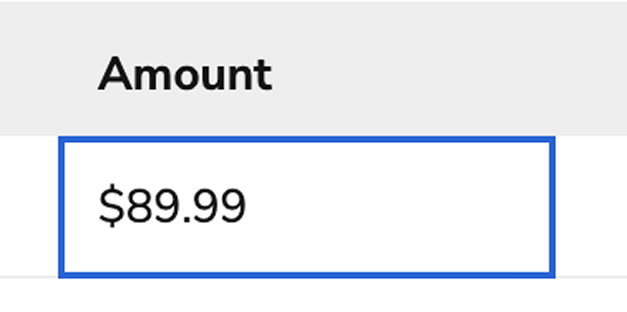
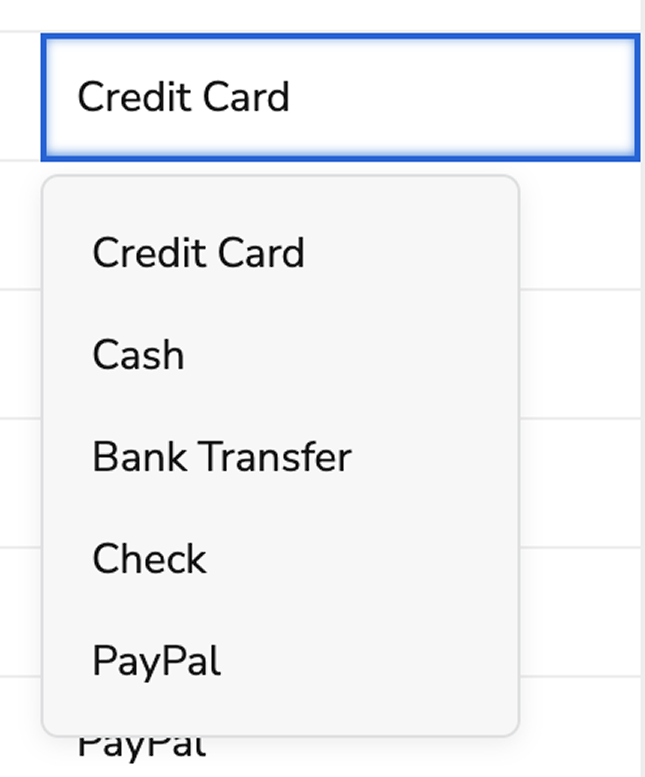
| State      | Description                                         |
| ---------- | --------------------------------------------------- |
| Default    | Normal cell appearance                              |
| Focused    | Focus ring when cell is keyboard-focused            |
| Edit hover | Pencil icon visible to demonstrate an editable cell |
| Editing    | Input or dropdown visible for editable cells        |

### Error States

DataTable supports two types of error indicators to highlight validation issues:

| Error Type | Description                                                       |
| ---------- | ----------------------------------------------------------------- |
| Cell error | Error icon and styling on individual cells with validation issues |
| Row error  | Error icon in the first column indicating row-level issues        |

Cells with errors display with red text color and a red border. An error icon appears within the cell, and when the error includes a message, hovering over the icon displays a tooltip with the error details.

<LiveCode example="data-table-cell-errors" screenshot fullWidth>
  ```tsx lines theme={null}
  import {
    DataTable,
    createColumnHelper,
    currencyFormatter,
    type TableRow,
  } from "@servicetitan/anvil2/beta";

  type OrderData = {
    id: string;
    customer_name: string;
    amount: number;
    status: string;
    note: string;
  };

  const createColumn = createColumnHelper<OrderData>();

  // Data with cell-level errors
  // Use string error messages to provide context about what's wrong
  const data: TableRow<OrderData>[] = [
    {
      id: "ORD-001",
      customer_name: "",
      amount: 2450.75,
      status: "completed",
      note: "Regular order",
      // String error message provides accessible context
      meta: { errors: { customer_name: "Customer name is required" } },
    } as TableRow<OrderData>,
    {
      id: "ORD-002",
      customer_name: "TechCorp Solutions",
      amount: 15750.0,
      status: "shipped",
      note: "Priority shipment",
      // No errors on this row
    },
    {
      id: "ORD-003",
      customer_name: "Ahmed Hassan",
      amount: -50.0,
      status: "pending",
      note: "",
      // Multiple cells can have errors
      meta: {
        errors: {
          amount: "Amount must be positive",
          note: "Note is required for pending orders",
        },
      },
    } as TableRow<OrderData>,
    {
      id: "ORD-004",
      customer_name: "Maria Gonzalez",
      amount: 1200.5,
      status: "processing",
      note: "This is an extremely long note that exceeds the maximum allowed character limit for this field",
      meta: { errors: { note: "Note exceeds 100 character limit" } },
    } as TableRow<OrderData>,
  ];

  const columns = [
    createColumn("id", {
      header: { label: "Order ID" },
      minWidth: 100,
    }),
    createColumn("customer_name", {
      header: { label: "Customer Name" },
      minWidth: 150,
    }),
    createColumn("amount", {
      header: { label: "Amount" },
      renderCell: (value: OrderData["amount"]) => currencyFormatter(value),
      minWidth: 100,
    }),
    createColumn("status", {
      header: { label: "Status" },
      minWidth: 100,
    }),
    createColumn("note", {
      header: { label: "Note" },
      minWidth: 200,
    }),
  ];

  function App() {
    return <DataTable data={data} columns={columns} />;
  }

  export default App;
  ```
</LiveCode>

Row-level errors display an error icon in a dedicated column at the start of the row. This indicates that the entire row has a validation issue, rather than a specific cell.

<LiveCode example="data-table-row-errors" screenshot fullWidth>
  ```tsx lines theme={null}
  import {
    DataTable,
    createColumnHelper,
    currencyFormatter,
    type TableRow,
  } from "@servicetitan/anvil2/beta";

  type OrderData = {
    id: string;
    customer_name: string;
    amount: number;
    status: string;
  };

  const createColumn = createColumnHelper<OrderData>();

  // Data with row-level errors
  // Use string error messages to provide context about what's wrong with the entire row
  const data: TableRow<OrderData>[] = [
    {
      id: "ORD-001",
      customer_name: "Sophia Rodriguez",
      amount: 2450.75,
      status: "completed",
      // String error message provides accessible context
      meta: { rowError: "This order has validation issues that need review" },
    } as TableRow<OrderData>,
    {
      id: "ORD-002",
      customer_name: "TechCorp Solutions",
      amount: 15750.0,
      status: "shipped",
      // No error on this row
    },
    {
      id: "ORD-003",
      customer_name: "Ahmed Hassan",
      amount: 89.99,
      status: "pending",
      meta: { rowError: "Missing required shipping information" },
    } as TableRow<OrderData>,
    {
      id: "ORD-004",
      customer_name: "Maria Gonzalez",
      amount: 1200.5,
      status: "processing",
      // No error on this row
    },
    {
      id: "ORD-005",
      customer_name: "Chen Wei",
      amount: 0.0,
      status: "cancelled",
      meta: { rowError: "Order was cancelled due to payment failure" },
    } as TableRow<OrderData>,
  ];

  const columns = [
    createColumn("id", {
      header: { label: "Order ID" },
      minWidth: 120,
    }),
    createColumn("customer_name", {
      header: { label: "Customer Name" },
      minWidth: 180,
    }),
    createColumn("amount", {
      header: { label: "Amount" },
      renderCell: (value: OrderData["amount"]) => currencyFormatter(value),
      minWidth: 100,
    }),
    createColumn("status", {
      header: { label: "Status" },
      minWidth: 100,
    }),
  ];

  function App() {
    return <DataTable data={data} columns={columns} />;
  }

  export default App;
  ```
</LiveCode>

<Note>
  When setting errors, prefer using a descriptive string message over simply marking the cell or row as having an error. Messages provide accessible context that screen readers announce, helping all users understand why a cell or row is in an error state.
</Note>

### Warning States

DataTable supports two types of warning indicators for non-blocking advisory issues:

| Warning Type | Description                                                           |
| ------------ | --------------------------------------------------------------------- |
| Cell warning | Warning icon and styling on individual cells with advisory issues     |
| Row warning  | Warning icon in the first column indicating row-level advisory issues |

Cells with warnings display with a yellow border and a warning icon. When the warning includes a message, hovering over the icon displays a tooltip with the warning details. Warning states use the same layout as error states but with yellow styling to distinguish non-blocking issues from blocking errors.

<LiveCode example="data-table-cell-warnings" screenshot fullWidth>
  ```tsx lines theme={null}
  import {
    DataTable,
    createColumnHelper,
    currencyFormatter,
    type TableRow,
  } from "@servicetitan/anvil2/beta";

  type OrderData = {
    id: string;
    customer_name: string;
    amount: number;
    status: string;
    note: string;
  };

  const createColumn = createColumnHelper<OrderData>();

  // Data with cell-level warnings
  // Use string warning messages to provide context about advisory issues
  const data: TableRow<OrderData>[] = [
    {
      id: "ORD-001",
      customer_name: "Sophia Rodriguez",
      amount: 2450.75,
      status: "completed",
      note: "Regular order",
      // String warning message provides accessible context
      meta: { warnings: { customer_name: "Customer name may be incomplete" } },
    } as TableRow<OrderData>,
    {
      id: "ORD-002",
      customer_name: "TechCorp Solutions",
      amount: 15750.0,
      status: "shipped",
      note: "Priority shipment",
      // No warnings on this row
    },
    {
      id: "ORD-003",
      customer_name: "Ahmed Hassan",
      amount: 89.99,
      status: "pending",
      note: "",
      // Multiple cells can have warnings
      meta: {
        warnings: {
          amount: "Amount is below the typical order minimum",
          note: "Consider adding a note for pending orders",
        },
      },
    } as TableRow<OrderData>,
    {
      id: "ORD-004",
      customer_name: "Maria Gonzalez",
      amount: 1200.5,
      status: "processing",
      note: "This is an extremely long note that may exceed the recommended character limit for this field",
      meta: { warnings: { note: "Note is approaching the 100 character limit" } },
    } as TableRow<OrderData>,
  ];

  const columns = [
    createColumn("id", {
      header: { label: "Order ID" },
      minWidth: 100,
    }),
    createColumn("customer_name", {
      header: { label: "Customer Name" },
      minWidth: 150,
    }),
    createColumn("amount", {
      header: { label: "Amount" },
      renderCell: (value: OrderData["amount"]) => currencyFormatter(value),
      minWidth: 100,
    }),
    createColumn("status", {
      header: { label: "Status" },
      minWidth: 100,
    }),
    createColumn("note", {
      header: { label: "Note" },
      minWidth: 200,
    }),
  ];

  function App() {
    return <DataTable data={data} columns={columns} />;
  }

  export default App;
  ```
</LiveCode>

Rows with warnings display an icon in the first column, similar to row errors but with a warning icon.

<LiveCode example="data-table-row-warnings" screenshot fullWidth>
  ```tsx lines theme={null}
  import {
    DataTable,
    createColumnHelper,
    currencyFormatter,
    type TableRow,
  } from "@servicetitan/anvil2/beta";

  type OrderData = {
    id: string;
    customer_name: string;
    amount: number;
    status: string;
  };

  const createColumn = createColumnHelper<OrderData>();

  // Data with row-level warnings
  // Use string warning messages to provide context about advisory issues for the entire row
  const data: TableRow<OrderData>[] = [
    {
      id: "ORD-001",
      customer_name: "Sophia Rodriguez",
      amount: 2450.75,
      status: "completed",
      // String warning message provides accessible context
      meta: { rowWarning: "This order has unusual pricing that may need review" },
    } as TableRow<OrderData>,
    {
      id: "ORD-002",
      customer_name: "TechCorp Solutions",
      amount: 15750.0,
      status: "shipped",
      // No warning on this row
    },
    {
      id: "ORD-003",
      customer_name: "Ahmed Hassan",
      amount: 89.99,
      status: "pending",
      meta: { rowWarning: "Shipping address has not been verified" },
    } as TableRow<OrderData>,
    {
      id: "ORD-004",
      customer_name: "Maria Gonzalez",
      amount: 1200.5,
      status: "processing",
      // No warning on this row
    },
    {
      id: "ORD-005",
      customer_name: "Chen Wei",
      amount: 0.0,
      status: "cancelled",
      meta: {
        rowWarning: "Order was cancelled but payment refund is still pending",
      },
    } as TableRow<OrderData>,
  ];

  const columns = [
    createColumn("id", {
      header: { label: "Order ID" },
      minWidth: 120,
    }),
    createColumn("customer_name", {
      header: { label: "Customer Name" },
      minWidth: 180,
    }),
    createColumn("amount", {
      header: { label: "Amount" },
      renderCell: (value: OrderData["amount"]) => currencyFormatter(value),
      minWidth: 100,
    }),
    createColumn("status", {
      header: { label: "Status" },
      minWidth: 100,
    }),
  ];

  function App() {
    return <DataTable data={data} columns={columns} />;
  }

  export default App;
  ```
</LiveCode>

<Note>
  When both an error and a warning exist on the same cell or row, the error takes priority and the warning is not displayed. Errors represent blocking issues that must be resolved, while warnings are advisory.
</Note>

<Note>
  When setting warnings, prefer using a descriptive string message over simply marking the cell or row as having a warning. Messages provide accessible context that screen readers announce, helping all users understand why a cell or row is in a warning state.
</Note>

## Keyboard Interactions

Users can navigate the DataTable using the following keyboard controls:

| Key              | Interaction                                                   |
| ---------------- | ------------------------------------------------------------- |
| Tab              | Move focus between interactive elements                       |
| Arrow Up/Down    | Navigate between rows when focused on table                   |
| Arrow Left/Right | Navigate between cells in a row                               |
| Space            | Toggle row selection (when on checkbox)                       |
| Enter            | Activate sort (on header), enter edit mode (on editable cell) |
| F2               | Enter edit mode for editable cells                            |
| Escape           | Exit edit mode, discard changes                               |

## Accessibility

The DataTable implements accessibility features to ensure all users can interact with tabular data effectively:

* Proper semantic HTML table structure (`table`, `thead`, `tbody`, `tr`, `th`, `td`)
* ARIA attributes for row and column counts
* Sortable headers announce sort state to screen readers
* Selection checkboxes include descriptive labels
* Expand/collapse buttons include `aria-expanded` and `aria-controls`
* Loading states announced via `aria-live` regions
* Focus management maintains logical keyboard navigation
* Editable cells announce their editable state

## Usage Guidelines

### When to Use

Use the DataTable when displaying structured tabular data that requires any of the following:

* **Sorting** – Users need to reorder data by different columns
* **Pagination** – Data sets are too large to display all at once
* **Row selection** – Users need to select rows for batch operations
* **Row expansion** – Additional details need to be shown for individual rows
* **Inline editing** – Users need to modify cell values directly
* **Column pinning** – Key columns should remain visible during horizontal scroll

### When Not to Use

Avoid using DataTable in these scenarios:

* **Simple lists** – Use [ListView](/docs/web/components/list-view/design) or [Listbox](/docs/web/components/listbox/design) for simple selectable lists without tabular structure

### Column Organization

<LiveCode example="data-table-pinned-columns" screenshot fullWidth>
  ```tsx lines theme={null}
  import {
    DataTable,
    createColumnHelper,
    chipsFormatter,
    currencyFormatter,
    type TableRow,
  } from "@servicetitan/anvil2/beta";

  type Status = "pending" | "shipped" | "processing" | "completed" | "cancelled";
  type PaymentType =
    | "credit_card"
    | "cash"
    | "bank_transfer"
    | "check"
    | "paypal";

  type StatusValue = OrderData["status"];

  type OrderData = {
    id: string;
    amount: number;
    status?: Status[];
    order_date: string;
    payment_type: PaymentType;
  };

  const data: TableRow<OrderData>[] = [
    {
      id: "ORD-2024-001",
      amount: 2450.75,
      status: ["completed"],
      order_date: "09/15/2024",
      payment_type: "credit_card",
    },
    {
      id: "ORD-2024-002",
      amount: 15750.0,
      status: ["shipped"],
      order_date: "09/18/2024",
      payment_type: "bank_transfer",
    },
    {
      id: "ORD-2024-003",
      amount: 89.99,
      status: ["pending"],
      order_date: "09/20/2024",
      payment_type: "paypal",
    },
    {
      id: "ORD-2024-004",
      amount: 1200.5,
      status: ["processing"],
      order_date: "09/12/2024",
      payment_type: "credit_card",
    },
    {
      id: "ORD-2024-005",
      amount: 0.0,
      status: ["cancelled"],
      order_date: "09/10/2024",
      payment_type: "credit_card",
    },
    {
      id: "ORD-2024-006",
      amount: 8925.0,
      status: ["completed"],
      order_date: "08/28/2024",
      payment_type: "check",
    },
    {
      id: "ORD-2024-007",
      amount: 45.99,
      status: ["shipped"],
      order_date: "09/21/2024",
      payment_type: "cash",
    },
  ];

  const createColumn = createColumnHelper<OrderData>();

  const statusOrder: Record<Status, number> = {
    pending: 1,
    processing: 2,
    shipped: 3,
    completed: 4,
    cancelled: 5,
  };

  const formatStatus = (value: StatusValue) =>
    chipsFormatter(
      value?.map((status) => ({
        label: status.charAt(0).toUpperCase() + status.slice(1),
        color:
          status === "pending"
            ? "#f59e0b"
            : status === "shipped"
              ? "#8b5cf6"
              : status === "processing"
                ? "#3b82f6"
                : status === "completed"
                  ? "#10b981"
                  : "#ef4444",
      })),
    );

  const sortStatus = (valueA: StatusValue, valueB: StatusValue) => {
    const statusA = valueA && valueA.length > 0 ? statusOrder[valueA[0]] : 999;
    const statusB = valueB && valueB.length > 0 ? statusOrder[valueB[0]] : 999;

    return statusA - statusB;
  };

  const formatPaymentType = (value: PaymentType) => (
    <span>
      {value === "credit_card"
        ? "Credit Card"
        : value === "cash"
          ? "Cash"
          : value === "bank_transfer"
            ? "Bank Transfer"
            : value === "check"
              ? "Check"
              : value === "paypal"
                ? "PayPal"
                : value}
    </span>
  );

  const columns = [
    createColumn("id", {
      header: { label: "Order ID" },
      sortable: true,
      resizable: true,
      minWidth: 130,
      footerContent: (
        <span>
          <b>Total:</b> {data.length}
        </span>
      ),
    }),
    createColumn("amount", {
      header: { label: "Amount" },
      renderCell: (value: OrderData["amount"]) => currencyFormatter(value),
      sortable: true,
      footerContent: [
        <span key="total">
          {currencyFormatter(data.reduce((acc, row) => acc + row.amount, 0))}
        </span>,
        <span key="average">
          {currencyFormatter(
            data.reduce((acc, row) => acc + row.amount, 0) / data.length,
          )}{" "}
          (avg)
        </span>,
      ],
    }),
    createColumn("status", {
      header: { label: "Status" },
      resizable: true,
      renderCell: (value: StatusValue) => formatStatus(value),
      sortable: sortStatus,
    }),
    createColumn("order_date", {
      header: { label: "Order Date" },
      sortable: true,
    }),
    createColumn("payment_type", {
      header: { label: "Payment Type" },
      renderCell: (value: PaymentType) => formatPaymentType(value),
      sortable: true,
      minWidth: 150,
    }),
  ];

  function App() {
    return (
      <DataTable
        data={data}
        columns={columns.map((column, index) => ({
          ...column,
          pinned: index === 0 ? "left" : index === 4 ? "right" : undefined,
        }))}
      />
    );
  }

  export default App;
  ```
</LiveCode>

<Columns cols={2}>
  <div>
    <Check>**Do**</Check>
    Position the most important columns first (left side) where users naturally look. Place identifier columns (like customer name or ID) before detail columns.
  </div>

  <div>
    <Danger>**Don't**</Danger>
    Avoid hiding critical data in columns that require horizontal scrolling to view.
  </div>
</Columns>

### Batch Operations

<LiveCode example="data-table-controlled-selection" screenshot fullWidth>
  ```tsx lines theme={null}
  import {
    DataTable,
    createColumnHelper,
    chipsFormatter,
    currencyFormatter,
    type TableRow,
  } from "@servicetitan/anvil2/beta";

  import { useState } from "react";

  type Status = "pending" | "shipped" | "processing" | "completed" | "cancelled";
  type PaymentType =
    | "credit_card"
    | "cash"
    | "bank_transfer"
    | "check"
    | "paypal";

  type StatusValue = OrderData["status"];

  type OrderData = {
    id: string;
    amount: number;
    status?: Status[];
    order_date: string;
    payment_type: PaymentType;
  };

  const data: TableRow<OrderData>[] = [
    {
      id: "ORD-2024-001",
      amount: 2450.75,
      status: ["completed"],
      order_date: "09/15/2024",
      payment_type: "credit_card",
    },
    {
      id: "ORD-2024-002",
      amount: 15750.0,
      status: ["shipped"],
      order_date: "09/18/2024",
      payment_type: "bank_transfer",
    },
    {
      id: "ORD-2024-003",
      amount: 89.99,
      status: ["pending"],
      order_date: "09/20/2024",
      payment_type: "paypal",
    },
    {
      id: "ORD-2024-004",
      amount: 1200.5,
      status: ["processing"],
      order_date: "09/12/2024",
      payment_type: "credit_card",
    },
    {
      id: "ORD-2024-005",
      amount: 0.0,
      status: ["cancelled"],
      order_date: "09/10/2024",
      payment_type: "credit_card",
    },
    {
      id: "ORD-2024-006",
      amount: 8925.0,
      status: ["completed"],
      order_date: "08/28/2024",
      payment_type: "check",
    },
    {
      id: "ORD-2024-007",
      amount: 45.99,
      status: ["shipped"],
      order_date: "09/21/2024",
      payment_type: "cash",
    },
  ];

  const createColumn = createColumnHelper<OrderData>();

  const statusOrder: Record<Status, number> = {
    pending: 1,
    processing: 2,
    shipped: 3,
    completed: 4,
    cancelled: 5,
  };

  const formatStatus = (value: StatusValue) =>
    chipsFormatter(
      value?.map((status) => ({
        label: status.charAt(0).toUpperCase() + status.slice(1),
        color:
          status === "pending"
            ? "#f59e0b"
            : status === "shipped"
              ? "#8b5cf6"
              : status === "processing"
                ? "#3b82f6"
                : status === "completed"
                  ? "#10b981"
                  : "#ef4444",
      })),
    );

  const sortStatus = (valueA: StatusValue, valueB: StatusValue) => {
    const statusA = valueA && valueA.length > 0 ? statusOrder[valueA[0]] : 999;
    const statusB = valueB && valueB.length > 0 ? statusOrder[valueB[0]] : 999;

    return statusA - statusB;
  };

  const formatPaymentType = (value: PaymentType) => (
    <span>
      {value === "credit_card"
        ? "Credit Card"
        : value === "cash"
          ? "Cash"
          : value === "bank_transfer"
            ? "Bank Transfer"
            : value === "check"
              ? "Check"
              : value === "paypal"
                ? "PayPal"
                : value}
    </span>
  );

  const columns = [
    createColumn("id", {
      header: { label: "Order ID" },
      sortable: true,
      resizable: true,
      minWidth: 130,
      footerContent: (
        <span>
          <b>Total:</b> {data.length}
        </span>
      ),
    }),
    createColumn("amount", {
      header: { label: "Amount" },
      renderCell: (value: OrderData["amount"]) => currencyFormatter(value),
      sortable: true,
      footerContent: [
        <span key="total">
          {currencyFormatter(data.reduce((acc, row) => acc + row.amount, 0))}
        </span>,
        <span key="average">
          {currencyFormatter(
            data.reduce((acc, row) => acc + row.amount, 0) / data.length,
          )}{" "}
          (avg)
        </span>,
      ],
    }),
    createColumn("status", {
      header: { label: "Status" },
      resizable: true,
      renderCell: (value: StatusValue) => formatStatus(value),
      sortable: sortStatus,
    }),
    createColumn("order_date", {
      header: { label: "Order Date" },
      sortable: true,
    }),
    createColumn("payment_type", {
      header: { label: "Payment Type" },
      renderCell: (value: PaymentType) => formatPaymentType(value),
      sortable: true,
      minWidth: 150,
    }),
  ];

  function App() {
    const [selectedRowIds, setSelectedRowIds] = useState<
      TableRow<typeof data>[0]["id"][]
    >(["ORD-2024-002", "ORD-2024-002-0"]);

    const handleSelection = (
      newSelectedRowIds: TableRow<typeof data>[0]["id"][],
    ) => {
      setSelectedRowIds(newSelectedRowIds);
    };

    return (
      <DataTable
        data={data}
        columns={columns}
        isSelectable
        onSelectRow={handleSelection}
        selectedRowIds={selectedRowIds}
        defaultExpandedRowIds={["ORD-2024-002"]}
      />
    );
  }

  export default App;
  ```
</LiveCode>

Use row selection when users need to perform batch operations on multiple rows, such as:

* Bulk delete
* Bulk status changes
* Export selected items

<Columns cols={2}>
  <div>
    <Check>**Do**</Check>

    <ul>
      <li>- Provide clear feedback about how many items are selected</li>
      <li>- Use the selection state to enable/disable batch action buttons</li>
      <li>- Consider providing a "Select All" option in the header</li>
    </ul>
  </div>

  <div>
    <Danger>**Don't**</Danger>

    <ul>
      <li>- Enable selection without providing actions that use the selection</li>
      <li>- Hide the selection column after users have made selections</li>
    </ul>
  </div>
</Columns>

### Sorting

<LiveCode example="data-table-sorting" screenshot fullWidth>
  ```tsx lines theme={null}
  import {
    DataTable,
    createColumnHelper,
    chipsFormatter,
    currencyFormatter,
    type TableRow,
  } from "@servicetitan/anvil2/beta";

  type Status = "pending" | "shipped" | "processing" | "completed" | "cancelled";
  type PaymentType =
    | "credit_card"
    | "cash"
    | "bank_transfer"
    | "check"
    | "paypal";

  type StatusValue = OrderData["status"];

  type OrderData = {
    id: string;
    amount: number;
    status?: Status[];
    order_date: string;
    payment_type: PaymentType;
  };

  const data: TableRow<OrderData>[] = [
    {
      id: "ORD-2024-001",
      amount: 2450.75,
      status: ["completed"],
      order_date: "09/15/2024",
      payment_type: "credit_card",
    },
    {
      id: "ORD-2024-002",
      amount: 15750.0,
      status: ["shipped"],
      order_date: "09/18/2024",
      payment_type: "bank_transfer",
    },
    {
      id: "ORD-2024-003",
      amount: 89.99,
      status: ["pending"],
      order_date: "09/20/2024",
      payment_type: "paypal",
    },
    {
      id: "ORD-2024-004",
      amount: 1200.5,
      status: ["processing"],
      order_date: "09/12/2024",
      payment_type: "credit_card",
    },
    {
      id: "ORD-2024-005",
      amount: 0.0,
      status: ["cancelled"],
      order_date: "09/10/2024",
      payment_type: "credit_card",
    },
    {
      id: "ORD-2024-006",
      amount: 8925.0,
      status: ["completed"],
      order_date: "08/28/2024",
      payment_type: "check",
    },
    {
      id: "ORD-2024-007",
      amount: 45.99,
      status: ["shipped"],
      order_date: "09/21/2024",
      payment_type: "cash",
    },
    {
      id: "ORD-2024-008",
      amount: 3780.25,
      status: ["processing"],
      order_date: "09/19/2024",
      payment_type: "bank_transfer",
    },
    {
      id: "ORD-2024-009",
      amount: 156.78,
      status: ["completed"],
      order_date: "09/14/2024",
      payment_type: "paypal",
    },
    {
      id: "ORD-2024-010",
      amount: 2100.0,
      status: ["shipped", "cancelled"],
      order_date: "09/22/2024",
      payment_type: "credit_card",
    },
  ];

  const createColumn = createColumnHelper<OrderData>();

  const statusOrder: Record<Status, number> = {
    pending: 1,
    processing: 2,
    shipped: 3,
    completed: 4,
    cancelled: 5,
  };

  const formatStatus = (value: StatusValue) =>
    chipsFormatter(
      value?.map((status) => ({
        label: status.charAt(0).toUpperCase() + status.slice(1),
        color:
          status === "pending"
            ? "#f59e0b"
            : status === "shipped"
              ? "#8b5cf6"
              : status === "processing"
                ? "#3b82f6"
                : status === "completed"
                  ? "#10b981"
                  : "#ef4444",
      })),
    );

  const sortStatus = (valueA: StatusValue, valueB: StatusValue) => {
    const statusA = valueA && valueA.length > 0 ? statusOrder[valueA[0]] : 999;
    const statusB = valueB && valueB.length > 0 ? statusOrder[valueB[0]] : 999;

    return statusA - statusB;
  };

  const formatPaymentType = (value: PaymentType) => (
    <span>
      {value === "credit_card"
        ? "Credit Card"
        : value === "cash"
          ? "Cash"
          : value === "bank_transfer"
            ? "Bank Transfer"
            : value === "check"
              ? "Check"
              : value === "paypal"
                ? "PayPal"
                : value}
    </span>
  );

  const columns = [
    createColumn("id", {
      header: { label: "Order ID" },
      sortable: true,
      resizable: true,
      minWidth: 130,
      footerContent: (
        <span>
          <b>Total:</b> {data.length}
        </span>
      ),
    }),
    createColumn("amount", {
      header: { label: "Amount" },
      renderCell: (value: OrderData["amount"]) => currencyFormatter(value),
      sortable: true,
      footerContent: [
        <span key="total">
          {currencyFormatter(data.reduce((acc, row) => acc + row.amount, 0))}
        </span>,
        <span key="average">
          {currencyFormatter(
            data.reduce((acc, row) => acc + row.amount, 0) / data.length,
          )}{" "}
          (avg)
        </span>,
      ],
    }),
    createColumn("status", {
      header: { label: "Status" },
      resizable: true,
      renderCell: (value: StatusValue) => formatStatus(value),
      sortable: sortStatus,
    }),
    createColumn("order_date", {
      header: { label: "Order Date" },
      sortable: true,
    }),
    createColumn("payment_type", {
      header: { label: "Payment Type" },
      renderCell: (value: PaymentType) => formatPaymentType(value),
      sortable: true,
      minWidth: 150,
    }),
  ];

  function App() {
    return (
      <DataTable
        data={data}
        columns={columns}
        defaultSortedColumn={{ id: "status", desc: false }}
      />
    );
  }

  export default App;
  ```
</LiveCode>

Enable sorting only on columns where it provides value to users.

<Columns cols={2}>
  <div>
    <Check>**Do**</Check>

    <ul>
      <li>- Enable sorting on text columns users might want to alphabetize</li>
      <li>- Enable sorting on numeric columns for ranking or comparison</li>
      <li>- Enable sorting on date columns for chronological ordering</li>
      <li>- Provide default sorting when the data has a natural order</li>
    </ul>
  </div>

  <div>
    <Danger>**Don't**</Danger>

    <ul>
      <li>- Enable sorting on columns with identical values</li>
      <li>- Enable sorting on complex composite columns where sort order isn't intuitive</li>
    </ul>
  </div>
</Columns>

### Pagination

#### Choose Appropriate Page Sizes

<Columns cols={2}>
  <div>
    <Check>**Do**</Check>

    <ul>
      <li>- Use 25 rows as the default</li>
      <li>- Enable users to change page size with Pagination</li>
      <li>- Match page size to typical use cases (smaller for quick scans, larger for detailed review)</li>
    </ul>
  </div>

  <div>
    <Danger>**Don't**</Danger>

    <ul>
      <li>- Use very small page sizes (like 5 or 10) that require excessive navigation</li>
      <li>- Use very large page sizes that cause performance issues</li>
    </ul>
  </div>
</Columns>

### Row Expansion

<LiveCode example="data-table-sub-component" screenshot fullWidth>
  ```tsx lines theme={null}
  import {
    DataTable,
    createColumnHelper,
    chipsFormatter,
    currencyFormatter,
    type TableRow,
  } from "@servicetitan/anvil2/beta";
  import { Card, Text, Button } from "@servicetitan/anvil2";

  type Status = "pending" | "shipped" | "processing" | "completed" | "cancelled";
  type PaymentType =
    | "credit_card"
    | "cash"
    | "bank_transfer"
    | "check"
    | "paypal";

  type StatusValue = OrderData["status"];

  type OrderData = {
    id: string;
    amount: number;
    status?: Status[];
    order_date: string;
    customer_name: string;
    items: number;
    payment_type: PaymentType;
    note?: string;
  };

  const data: OrderData[] = [
    {
      id: "ORD-2024-001",
      amount: 2450.75,
      status: ["completed"],
      order_date: "09/15/2024",
      payment_type: "credit_card",
      items: 12,
      customer_name: "Sophia Rodriguez",
    },
    {
      id: "ORD-2024-002",
      amount: 15750.0,
      status: ["shipped"],
      order_date: "09/18/2024",
      payment_type: "bank_transfer",
      items: 45,
      customer_name: "TechCorp Solutions",
    },
    {
      id: "ORD-2024-003",
      amount: 89.99,
      status: ["pending"],
      items: 2,
      customer_name: "Ahmed Hassan",
      order_date: "09/20/2024",
      payment_type: "paypal",
    },
    {
      id: "ORD-2024-004",
      amount: 1200.5,
      status: ["processing"],
      order_date: "09/12/2024",
      payment_type: "credit_card",
      customer_name: "Maria Gonzalez",
      items: 8,
    },
    {
      id: "ORD-2024-005",
      amount: 0.0,
      status: ["cancelled"],
      order_date: "09/10/2024",
      payment_type: "credit_card",
      customer_name: "Chen Wei",
      items: 1,
    },
    {
      id: "ORD-2024-006",
      amount: 8925.0,
      status: ["completed"],
      order_date: "08/28/2024",
      payment_type: "check",
      customer_name: "Green Valley Farms",
      items: 156,
    },
    {
      id: "ORD-2024-007",
      amount: 45.99,
      customer_name: "Jennifer Kim",
      items: 1,
      status: ["shipped"],
      order_date: "09/21/2024",
      payment_type: "cash",
    },
    {
      id: "ORD-2024-008",
      amount: 3780.25,
      customer_name: "Roberto Silva",
      items: 23,
      status: ["processing"],
      order_date: "09/19/2024",
      payment_type: "bank_transfer",
    },
    {
      id: "ORD-2024-009",
      amount: 156.78,
      customer_name: "Emily Watson",
      items: 4,
      status: ["completed"],
      order_date: "09/14/2024",
      payment_type: "paypal",
    },
    {
      id: "ORD-2024-010",
      amount: 2100.0,
      customer_name: "Moonlight Café",
      items: 35,
      status: ["shipped", "cancelled"],
      order_date: "09/22/2024",
      payment_type: "credit_card",
    },
  ];

  const subComponentsData: TableRow<OrderData>[] = data.map((row) => ({
    ...row,
    subComponent: (
      <Card flexDirection="column" gap="2" style={{ width: "500px" }}>
        <Text variant="headline" size="small" el="h2">
          Sub Component
        </Text>
        <Text variant="body">
          Tab press should focus the button. Second Tab press should focus the
          next cell in the table. Shift+Tab press should focus the previous cell
          in the table.
        </Text>
        <Button size="small" appearance="primary">
          Focus Test
        </Button>
      </Card>
    ),
  }));

  const createColumn = createColumnHelper<OrderData>();

  const statusOrder: Record<Status, number> = {
    pending: 1,
    processing: 2,
    shipped: 3,
    completed: 4,
    cancelled: 5,
  };

  const formatStatus = (value: StatusValue) =>
    chipsFormatter(
      value?.map((status) => ({
        label: status.charAt(0).toUpperCase() + status.slice(1),
        color:
          status === "pending"
            ? "#f59e0b"
            : status === "shipped"
              ? "#8b5cf6"
              : status === "processing"
                ? "#3b82f6"
                : status === "completed"
                  ? "#10b981"
                  : "#ef4444",
      })),
    );

  const sortStatus = (valueA: StatusValue, valueB: StatusValue) => {
    const statusA = valueA && valueA.length > 0 ? statusOrder[valueA[0]] : 999;
    const statusB = valueB && valueB.length > 0 ? statusOrder[valueB[0]] : 999;

    return statusA - statusB;
  };

  const formatPaymentType = (value: PaymentType) => (
    <span>
      {value === "credit_card"
        ? "Credit Card"
        : value === "cash"
          ? "Cash"
          : value === "bank_transfer"
            ? "Bank Transfer"
            : value === "check"
              ? "Check"
              : value === "paypal"
                ? "PayPal"
                : value}
    </span>
  );

  const columns = [
    createColumn("id", {
      header: { label: "Order ID" },
      sortable: true,
      resizable: true,
      minWidth: 130,
      footerContent: (
        <span>
          <b>Total:</b> {data.length}
        </span>
      ),
    }),
    createColumn("amount", {
      header: { label: "Amount" },
      renderCell: (value: OrderData["amount"]) => currencyFormatter(value),
      sortable: true,
      footerContent: [
        <span key="total">
          {currencyFormatter(data.reduce((acc, row) => acc + row.amount, 0))}
        </span>,
        <span key="average">
          {currencyFormatter(
            data.reduce((acc, row) => acc + row.amount, 0) / data.length,
          )}{" "}
          (avg)
        </span>,
      ],
    }),
    createColumn("status", {
      header: { label: "Status" },
      resizable: true,
      renderCell: (value: StatusValue) => formatStatus(value),
      sortable: sortStatus,
    }),
    createColumn("order_date", {
      header: { label: "Order Date" },
      sortable: true,
    }),
    createColumn("payment_type", {
      header: { label: "Payment Type" },
      renderCell: (value: PaymentType) => formatPaymentType(value),
      sortable: true,
      minWidth: 150,
    }),
  ];

  function App() {
    return (
      <DataTable
        data={subComponentsData}
        columns={columns}
        defaultExpandedRowIds={["ORD-2024-001"]}
      />
    );
  }

  export default App;
  ```
</LiveCode>

#### Sub-Rows vs Sub-Components

| Use Sub-Rows                            | Use Sub-Components                         |
| --------------------------------------- | ------------------------------------------ |
| Child data has same structure as parent | Child content differs from table structure |
| Hierarchical data relationships         | Detail views, additional context           |
| Grouped data (e.g., items in an order)  | Custom layouts (tabs, forms, lists)        |

#### Keep Expanded Content Focused

<Columns cols={2}>
  <div>
    <Check>**Do**</Check>

    <ul>
      <li>- Show only relevant additional information in expanded areas</li>
      <li>- Keep expanded content scannable and organized</li>
    </ul>
  </div>

  <div>
    <Danger>**Don't**</Danger>

    <ul>
      <li>- Put entire page layouts in expanded rows</li>
      <li>- Require users to expand rows to see essential information</li>
    </ul>
  </div>
</Columns>

### Custom Body Cells

When none of the existing body cell types fit a use case, render custom components to body cells.

## Alternatives

### DataTable vs ListView

| DataTable                           | ListView                                       |
| ----------------------------------- | ---------------------------------------------- |
| Structured columns with headers     | Single-column list of items                    |
| Built-in sorting by columns         | No built-in sorting                            |
| Pagination for large datasets       | Typically shows all items                      |
| Row selection with checkboxes       | Item selection with checkboxes                 |
| Best for complex data relationships | Best for simple lists of actions or selections |

**Choose DataTable** when data has multiple attributes that benefit from column structure.

**Choose ListView** when displaying a simple list of selectable items.