

For development, import
SelectCard from @servicetitan/anvil2. For design, find it in the Anvil2 file.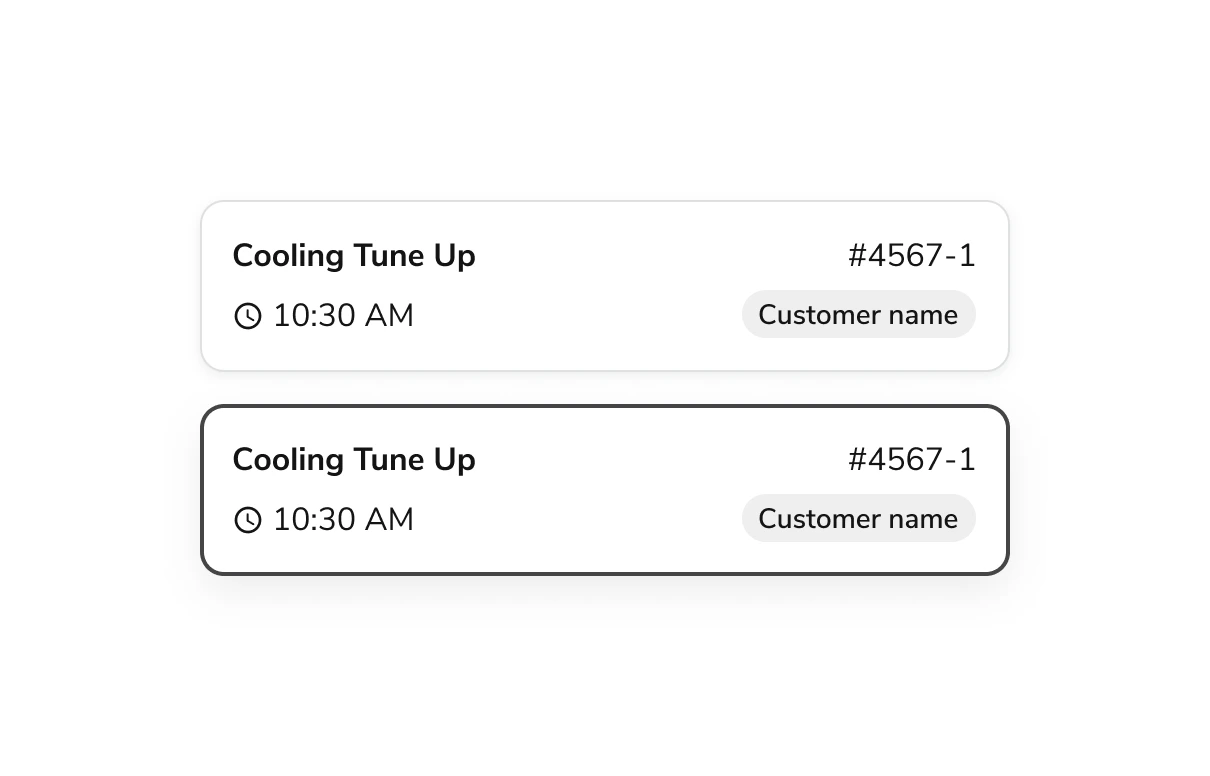
Anatomy
The Select Card consists of six primary elements that work together to create a card-like checkbox or radio with customizable inner content.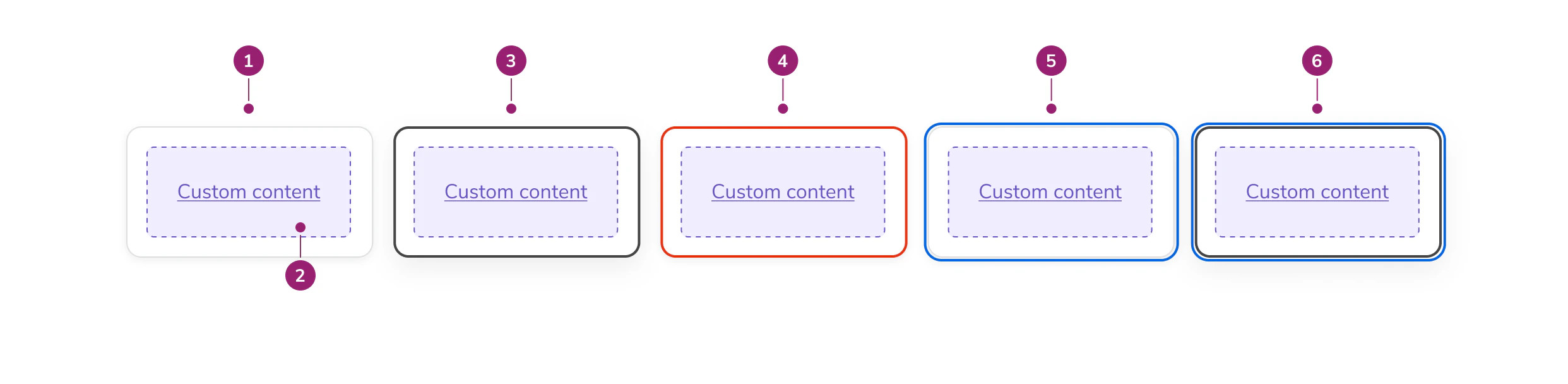
- Card surface - The interactive container that responds to user selection
- Inner contents - Customizable content area for labels, descriptions, chips, or other elements
- Selected state - Visual indicator showing the card is currently chosen
- Errored state - Visual treatment indicating validation or selection errors
- Focused state - Visual indicator showing keyboard focus
- Focused & selected state - Combined visual treatment for focus and selection
Options
The Select Card supports the following configurations to accommodate various selection scenarios.States
Default
Selected
Disabled
Errored
Drop Shadows
SelectCard has a drop shadow by default. You can optionally remove it for use in galleries and other dense layouts where shadows may create visual noise.Select Indicator
Display a checkbox or radio indicator in a separate column on the left side of the card. The indicator type is automatically determined by the selection mode of the parent group.Behavior
The Select Card responds to user interaction with distinct visual states for selection, error, and focus.Usage Guidelines
Content
Content within the Select Card should clearly communicate the option being selected. Keep inner content concise and scannable. Use labels, descriptions, chips, or other elements that help users quickly compare options.Using Drop Shadows
- In galleries and dense layouts, remove the drop shadow
- In other contexts, keep the drop shadow for visual separation
Keyboard Interaction
Users can navigate the Select Card using standard keyboard controls.Accessibility
- Include Select Cards in a group with a descriptive legend
- Provide clear, distinct content for each card to help users differentiate options
- When a Select Card group has an error, include helper text to describe the error
Code
- Implementation
- SelectCard Props
- SelectCard.Group Props
Common Examples
SelectCard Components
The Anvil2SelectCard is typically used within a SelectCard.Group. Under the hood SelectCard can either be a radio or a checkbox, and accepts all of the props associated with those HTML inputs.SelectCard.Group: the parent component used to configure a group ofSelectCarditems.SelectCard: used to create a card input to use with a group.
Validation
SelectCards have an errored state, which can be triggered with an onChange.Select Indicator Visual
Use theshowSelectIndicator prop to display a checkbox or radio indicator in a separate column on the left side of the card. The indicator type is automatically determined by the selectionMode from SelectCard.Group.The
showSelectIndicator prop is available for both SelectCard and SelectCard.Group, but in most cases it is recommended to use it with SelectCard.Group to show the indicator on all cards in the group.Controlled State
Usevalue on SelectCard.Group to control the selection externally. The component will not update its selection on its own — you must update value in the onChange callback.Default Selection
UsedefaultValue to pre-select cards when the group is uncontrolled. The selection can still be changed by the user after the initial render.