

Anatomy
The Skeleton consists of two primary elements that work together to create placeholders for content which hasn’t yet loaded.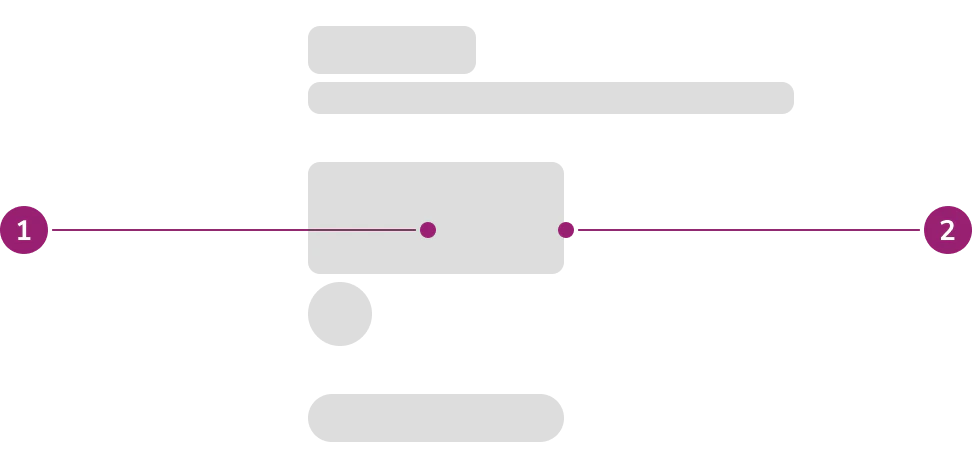
- Fill
- Container
Options
The Skeleton supports text and shape configurations to accommodate various content placeholder scenarios.Text
Headline
Use the headline option to indicate loading of a title.Body Text
Use the body text option to indicate loading of a sentence, string of text, or a paragraph.Shape
Rectangle
Use the rectangle option to indicate loading of card, button, image, or sectional content.Circle
Use the circle option to indicate loading of an avatar.Pill
Use the pill option to indicate loading of a chip.AI
Use the AI option to indicate loading of AI-generated content. All Skeleton variants support an AI style that replaces the default gray gradient with blue gradient colors.Usage Guidelines
How to Use
Skeletonized UI should be an approximation of the UI that is loading and not meant to recreate every element that will load.Scope of skeleton
Apply Skeleton to everything in the same scope. In this context, scope refers to component that is awaiting for the data to be fetched.- Full Skeleton
- Fetching data to render grid of cards → everything inside the Card is skeletonized
- Fetching table data → table is skeletonized everything inside the Table is skeletonized
- Partial Skeleton
- Card as a section containing title and content that requires fetch
- Title is not part of the fetch scope, so this is static and not to be skeletonized
- Example of fetch content: Listbox with dynamic options, data visualization, score card (label + data number)
- Note that if there is higher level fetch that affects other sibling, this Card can also be fully skeletonized. Example: Jira ticket type of page level loading
- Card as a section containing title and content that requires fetch
Repeated content
For repeated content, use skeleton to fill up 3/4 of the available space. For example, even if a grid of Cards are expected to overflow, only fill 3/4 of the available space with the skeleton.Non-repeated content
For non-repeated content, keep it above the fold as much as possible- This is to reduce unnecessary scrolling of the page while contents are still loading in
- Approximation of the UI can be minified to keep things above the fold
- Example: Even if we expect a long blog post, it can be reduced to a two-paragraph skeleton to keep it above the fold.
Example
Content
Content within the Skeleton should approximate the UI that is loading without recreating every element.Keyboard Interaction
Skeletons are not focusable and do not support keyboard interaction.Code
- Implementation
- Skeleton.Circle Props
- Skeleton.Pill Props
- Skeleton.Rectangle Props
- Skeleton.Text Props
Common Examples
AI Variant
Use theai prop on any Skeleton component to apply blue gradient colors, signaling that AI-generated content is loading.With MobX
This example shows how to use Skeleton with MobX, which is what ST app uses for data store. Refer to How to use guide for the scope of Skeleton.Best Practices
Do not use<Suspense> as it requires the fetch to be using use() hook.