

For development, import
ButtonToggle from @servicetitan/anvil2. For design, find it in the Anvil2 file.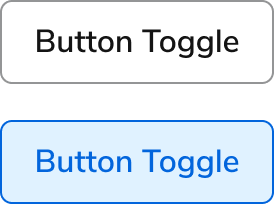
Anatomy
The Button Toggle consists of three primary elements that work together to let users alternate between two states with a single click.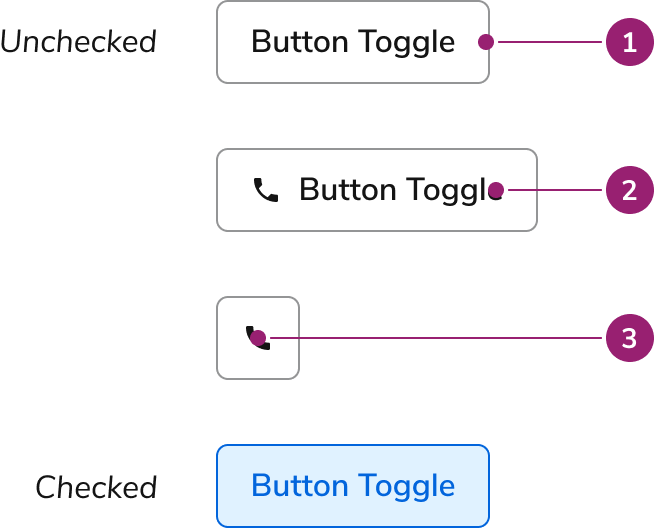
- Container
- Text label
- Icon
Options
The Button Toggle supports multiple size configurations to accommodate various toggle scenarios.Sizes

Behavior
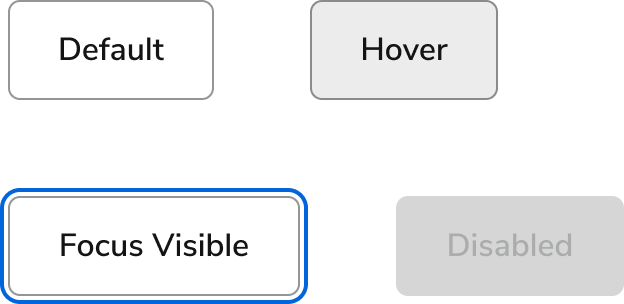
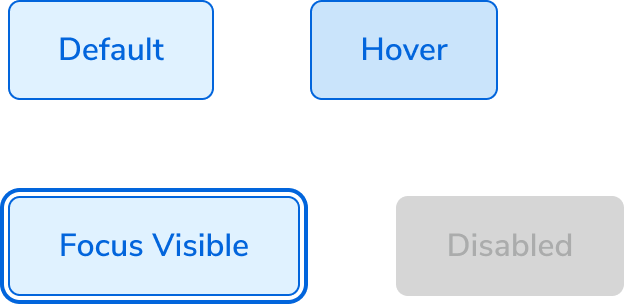
The Button Toggle responds to user interaction with distinct visual states and flexible layout behaviors.Visual States
Default
Checked
Text wrap
Button Toggles fill all available space, wrapping only when no space remains. Text is center-aligned when wrapping.Widths
In general, Button Toggles should match the width of their text. Container width works well when aligning with specific layout elements. Button Toggle Icon width always equals its height.Usage Guidelines
How to Use
Button Toggles work well when selecting multiple options from a set of available options.Do
Content
Content within the Button Toggle should clearly communicate the toggle state through labels and optional icons.Keyboard Interaction
Users can navigate the Button Toggle using standard keyboard controls.
Button Toggles using an href will also use this keyboard combination.
Accessibility
Anvil provides most of the accessibility needs for Button Toggle out of the box, and only need some additional considerations for library users.Provide labels for Icon Buttons
Regardless of whether or not a label is visible on the page, a label should be provided to describe the action for both screen readers and for users who focus on the element. For more guidance on button labels and accessibility, see button accessibility best practices.Code
- Implementation
Common Examples
Button toggle sizes
Use thesize prop to adjust the text size and padding of the button.Controlling button toggles
Uncontrolled button toggles
By default, button toggles are uncontrolled. The checked state changes when the button is clicked. To make the button toggle checked by default, use thedefaultChecked prop.Controlled button toggles
To programmatically set the checked state of a button toggle, use thechecked prop.Handling state changes
TheonChange prop accepts a function that passes the change event and current state object. This can be used to trigger other actions depending on the changed state.React Accessibility
Icon-only button toggles
Do
Don’t