

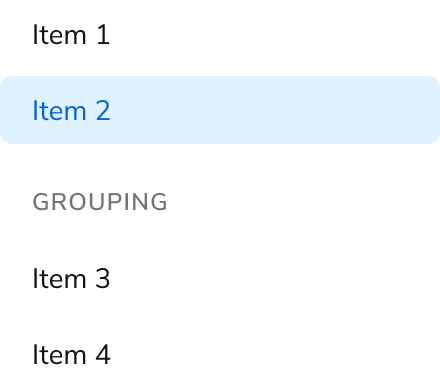
Anatomy
The Side Nav consists of five primary elements that work together to display a list of links to move between pages.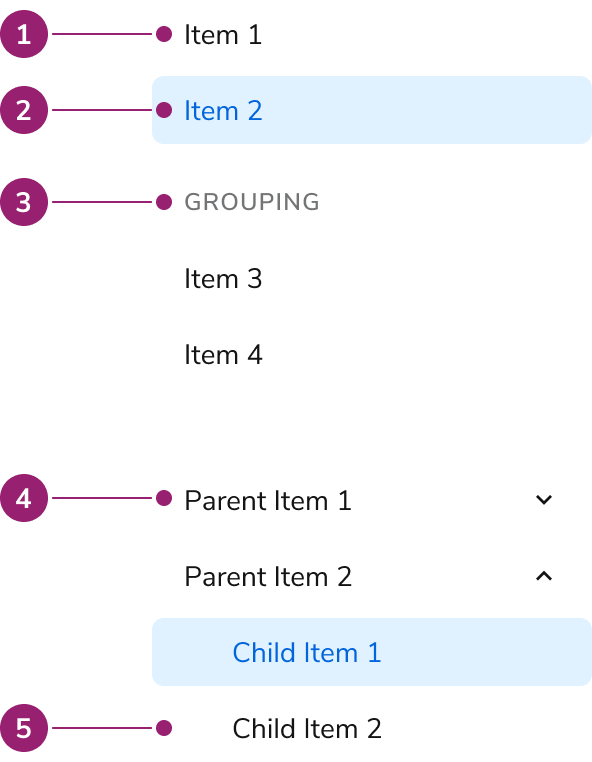
- Item
- Selected item
- Group section
- Collapsible parent item
- Nested item
Options
The Side Nav supports flat list, grouping, and collapsible configurations to accommodate various navigation scenarios.Flat List
Grouping
Collapsible
Parent items are purely accordions, and are not links themselves.Behavior
The Side Nav responds to user interaction with distinct visual states and text overflow handling.Visual States
Text Overflow
Each item in the Side Nav will wrap when not enough space is available.Usage Guidelines
Alternatives
Side Nav vs Tabs
Side Navs and Tabs perform similar tasks of organizing content. In most situations, Side Navs are a higher level of the navigation structure compared to Tabs, and are also able to organize less related items together compared to Tabs.Content
Content within the Side Nav should clearly communicate navigation destinations through descriptive labels.Keyboard Interaction
Users can navigate the Side Nav using standard keyboard controls.Code
- Implementation
Common Examples
Grouping side nav items
Side nav items can be grouped in two different ways, usingSideNav.Group or SideNav.Collapsible.Using SideNav.Group
Use theSideNav.Group component to group multiple links.Using SideNav.Collapsible
To make groups of items collapsible, use theSideNav.Collapsible component.Routing with Side Nav Links
As of version1.16.9, the pathname prop of the SideNav.Link component enables native browser routing using the history.pushState() function. This is essentially what react-router-dom does, and this method prevents extra dependencies in the @servicetitan/anvil2 package.React Accessibility
Multiple Navigation Landmark
When there is more than one navigation landmark on a page, each should have a unique label. For example, if aSideNav exists on the same page as another navigational element, such as an app bar using a nav element, they should both have unique labels.Reference: W3 Navigation LandmarkFor more guidance on semantic page structure and navigation landmarks, see semantic markup best practices.