

For development, import
SegmentedControl from @servicetitan/anvil2. For design, find it in the Anvil2 file.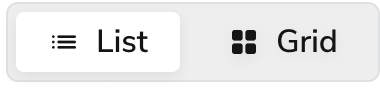
Anatomy
The Segmented Control has three elements that work together to switch the presentation view of current or filtered content.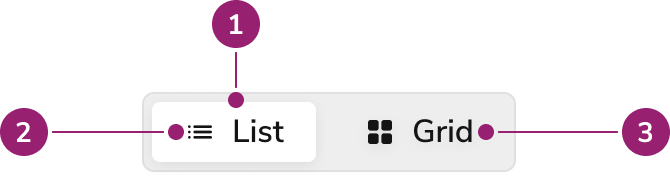
- Selected segment
- Icon
- Label
Options
The Segmented Control supports multiple sizes, fill options, and icon configurations for different use cases.Sizes
Fill
By default, Segmented Control will hug its content. But it can also fill available width.Icons
Place icons before the segment’s text label, or use them to replace the text label as an icon-only segment. Use icon-only segments with Tooltip to provide an accessible label.Behavior
The Segmented Control responds to user interaction with distinct visual states and selection behaviors.Visual States
Default
Default segments do not have a focus-visible state because only the selected segment receives focus.Selected
Selected segments do not have hover or active states because users cannot interact with them when selected.- Only one segment remains selected at all times
- At least one segment remains selected at all times
Focused
Only the selected segment receives focus.Usage Guidelines
Content
Use labels and icons to clearly communicate each segment option.Keyboard Interaction
Users can navigate the Segmented Control using standard keyboard controls.Accessibility
- Icon-only segments require an accessible name via
aria-labeloraria-describedby.
Code
- Implementation
- SegmentedControl Props
- SegmentedControl.Segment Props
Common Examples
SegmentedControl components
The Anvil2 segmented control is made up of aSegmentedControl component and multiple child SegmentedControl.Segment components. Similar to a group of radio inputs, each SegmentedControl.Segment will need a unique value string that will be passed into the SegmentedControl’s onChange function when it is selected.Tooltip Example
TheSegmentedControl.Segment components can be wrapped in the Anvil2 Tooltip.Trigger component to display a tooltip on focus and hover. This is required for accessibility when only using an icon.