Anatomy

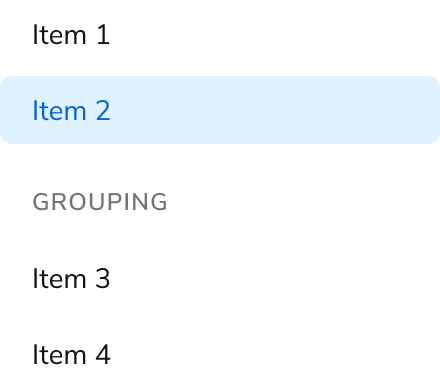
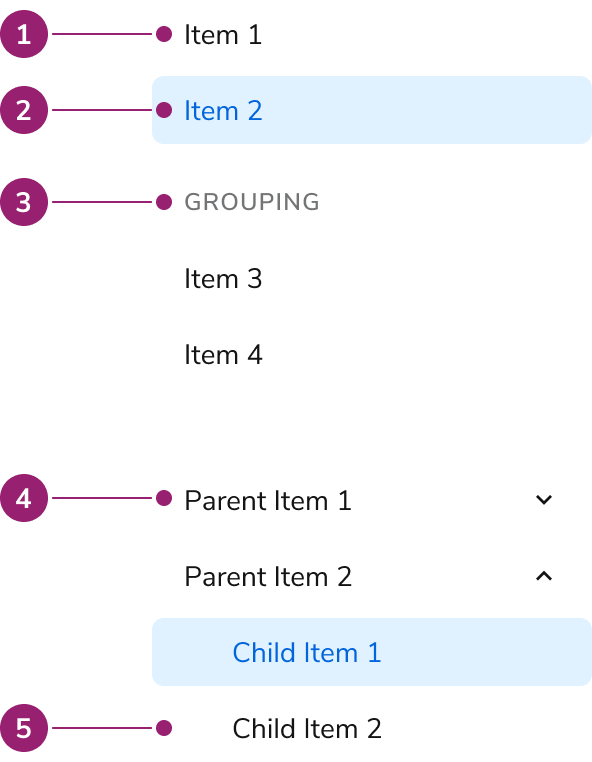
The Side Nav consists of five primary elements that work together to display a list of links to move between pages.
Anatomy of a Side
Nav
  1. Item
  2. Selected item
  3. Group section
  4. Collapsible parent item
  5. Nested item

Options

The Side Nav supports flat list, grouping, and collapsible configurations to accommodate various navigation scenarios.

Flat List

Grouping

Collapsible

Parent items are purely accordions, and are not links themselves.

Behavior

The Side Nav responds to user interaction with distinct visual states and text overflow handling.

Visual States

Text Overflow

Each item in the Side Nav will wrap when not enough space is available.

Usage Guidelines

Use the Side Nav to display a list of links for moving between pages.

When to Use

Use the Side Nav based on how the larger app organizes its navigation structure. In some cases this means the Side Nav is the top-level navigation tool, in others it may be a secondary system.

Use a collapsible Side Nav when users understand the hierarchy

Use a collapsible Side Nav when users understand the categorization, helping them find items more effectively. Avoid this structure if there’s no clear parent-child relation in the nav, especially if users cannot perceive it. Use a flat Side Nav when items in a group lack a clear hierarchy. A flattened Side Nav is easier for users to navigate in this situation.

Alternatives

Side Nav vs Tab

Side Navs and Tabs perform similar tasks of organizing content. In most situations, Side Navs are a higher level of the navigation structure compared to Tabs. Side Navs are also able to organize less related items together compared to Tabs.

How to Use

Pair subheaders and collapsible in complex navs

Navigations with nuanced levels of hierarchy can use both subheaders and nesting at once. Simpler navigations should consider using only one grouping method.

Parent nav items can only be collapsible actions

The Side Nav’s parent item can never be a link. If a parent item link is needed, a child item at the top may be used in its place, e.g., Overview.

Don’t use multi-nested Navs

The Side Nav does not support deep navigation. Simplify the navigation structure first. If it cannot be simplified, a custom solution is needed.
Don’t

Don’t add secondary actions

The Side Nav does not support secondary actions for accessibility reasons. Consider placing these actions elsewhere, such as on the page the Side Nav item goes to.
Don’t

Showing metadata with Chips

A Chip can be paired with the Side Nav. It can be used to provide metadata such as beta or new status, or a numerical value related to the Side Nav item.

Content

Content within the Side Nav should clearly communicate navigation destinations through descriptive labels.

Keyboard Interaction

Users can navigate the Side Nav using standard keyboard controls.
KeyInteraction
Down ArrowMoves focus to next item
Up ArrowMoves focus to previous item
Enter or SpaceSelects item, expands/collapses. Focus stays on that item.
Last modified on January 23, 2026