Anvil2 has released a set of drag and drop components, available for immediate use.
Anvil now provides a drag and drop solution for design system consumers. Starting today, designers can begin assembling drag and drop experiences through the Anvil Figma library, and developers can assemble pre-made sorting solutions, or roll their own solution using our base UI components.
How Drag and Drop works in Anvil
We’ve developed drag and drop for Anvil with flexibility in mind, offering two distinct approaches: Dnd, a foundational set of low-level UI building blocks, and Dnd Sort, a more opinionated solution for common sorting and bucketing needs.
Dnd
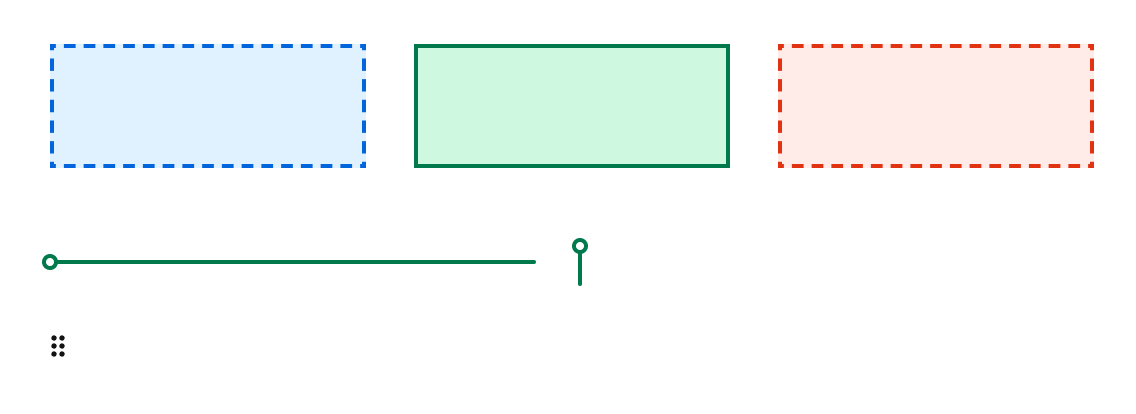
Dnd provides a set of standardized UI components needed to create a drag and drop experience. Critically, Dnd on its own lacks functionality or an underlying library. For a design system consumer, Dnd serves to build drag and drop experiences which can’t be done with Anvil’s more opinionated solutions (currently just Dnd Sort).
Components that Dnd offers include drop zones, the drag handle, and sort line.
Dnd Sort
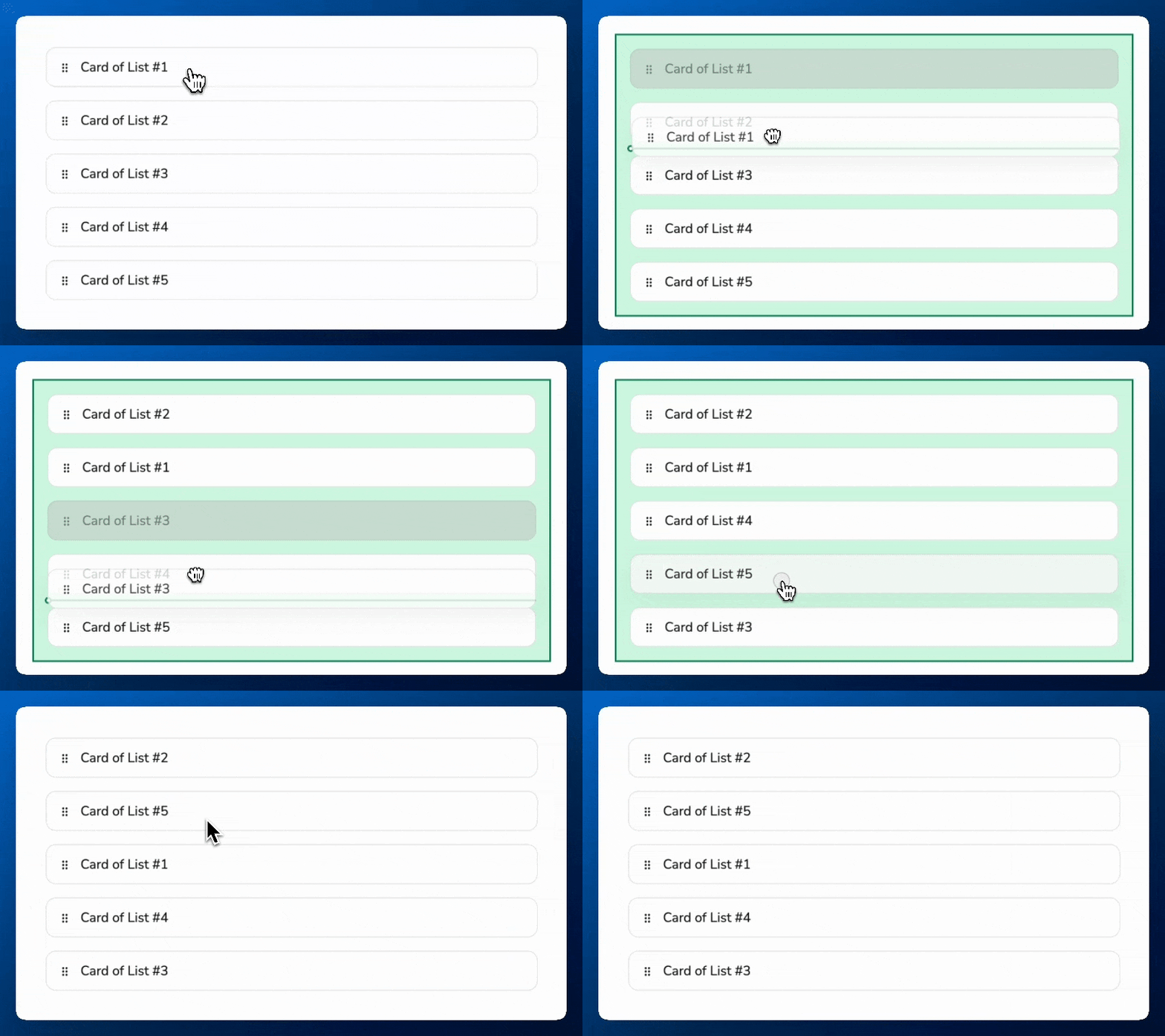
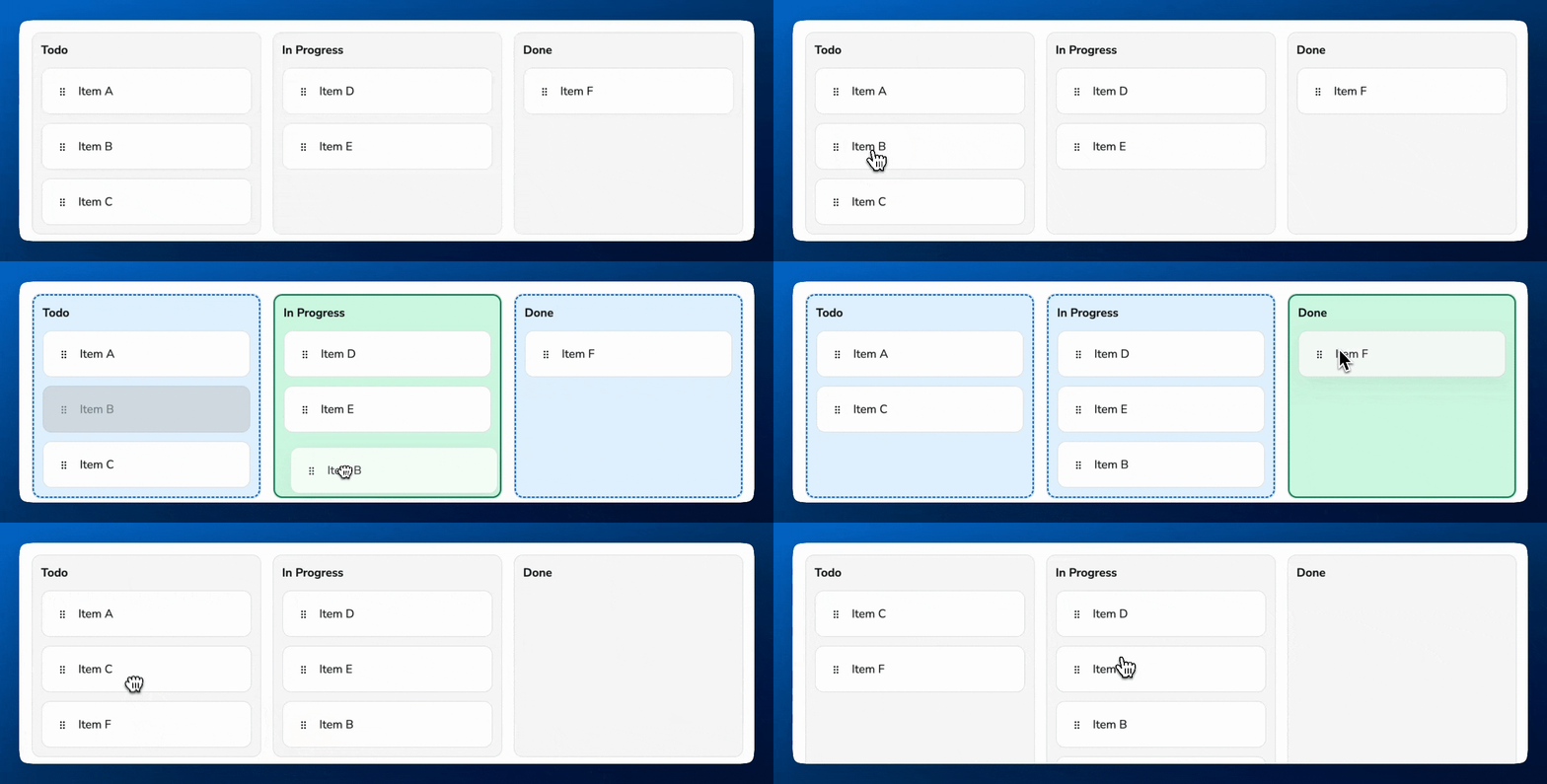
Dnd Sort brings its own functionality to solve for drag and drop related to sorting and bucketing. In addition to using the base Dnd components, Dnd Sort brings in Draggable Cards and its own underlying library to solve some of the most common use cases of drag and drop.
Future drag and drop use cases
Sorting and bucketing is the first major use case that has been developed. Overtime, Anvil plans to expand its use cases to other topics such as:
- File uploading via drag and drop
- Applying drag and drop directly to components such as Table rows, Chips, and Listboxes.
- Canvas-based dragging
- Nesting of drag and drop items
Last modified on March 24, 2026