

Dialog, Drawer, and Page.Panel—each DrillDown has a header, content, optional footer, and a built-in back action.
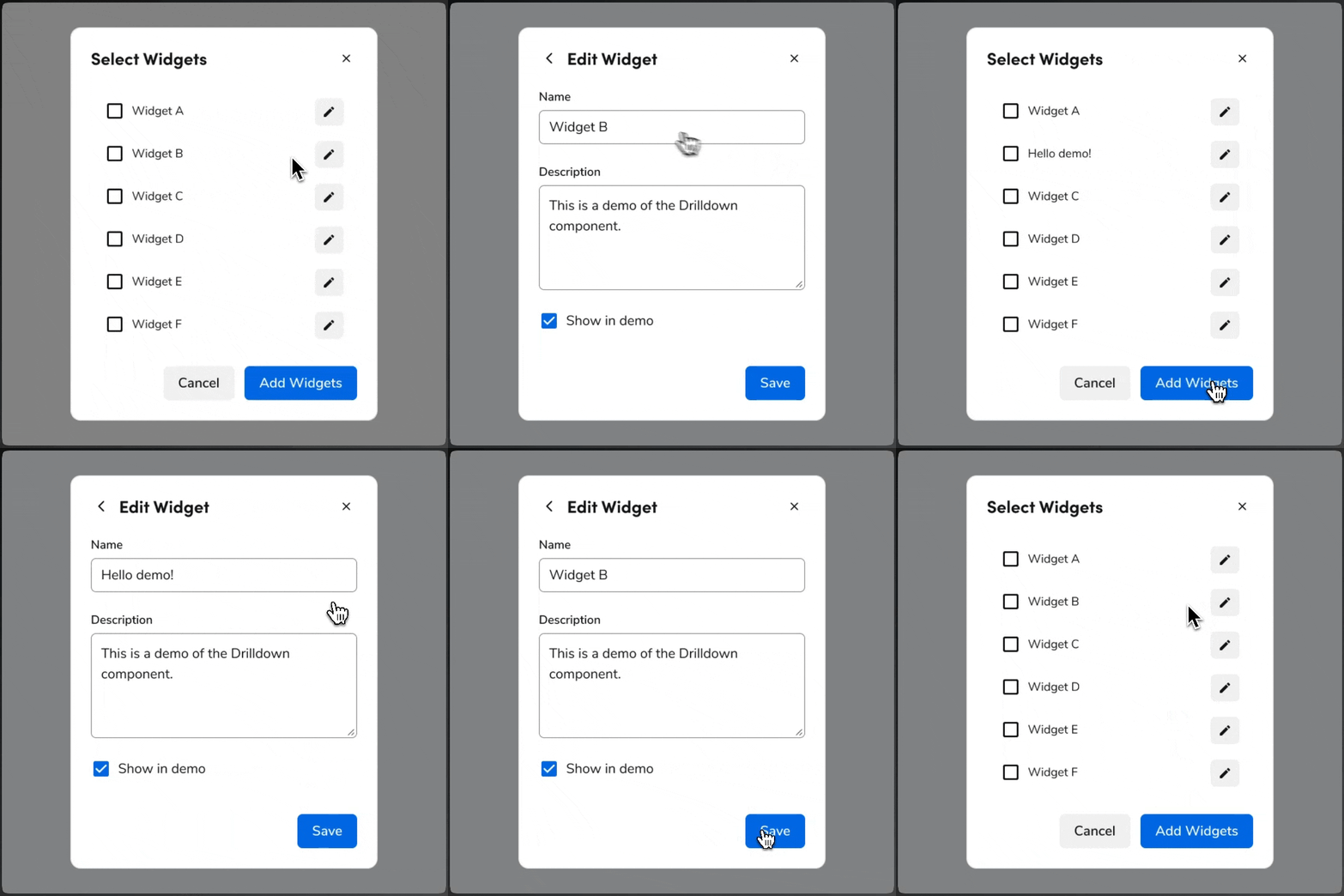
How Drilldown works in Anvil
Drilldown is a navigation pattern that keeps the user in the same container. Clicking a trigger (for example, a row or link) opens a drilldown view that overlays the parent content. The back action returns to the parent; closing the container (e.g., backdrop or close control) dismisses the whole UI.Where you can use Drilldown
Drilldown is supported in:- Dialog — Use for flows that start from a dialog and need a deeper step without leaving the dialog.
- Drawer — Use for side panels where users drill into detail (e.g., editing a single item from a list).
- Page Panel — Use inside a page panel when you need a sub-view without navigating to a new page.
What Drilldown offers
Each drilldown view consists of a back action, a header, optional close action, content area, and optional footer. You can use multipleDrillDown components as siblings, each with an index, and advance or go back with DrillDown.NextButton and DrillDown.PrevButton. Focus follows the container (Dialog, Drawer, or Page Panel) that hosts the drilldown.
For full anatomy, options, and when to use (or avoid) Drilldown, see the Drilldown design and code docs.