Utilize these colors in the order shown below. For example, the first 3 variables in your data set must use blue, cyan, and purple, for visual consistency across the experience. Accessibility requirement: when using this palette, you must include a direct labeling option on your visualization.

Light Mode

categorical light mode

Dark mode

categorical dark mode
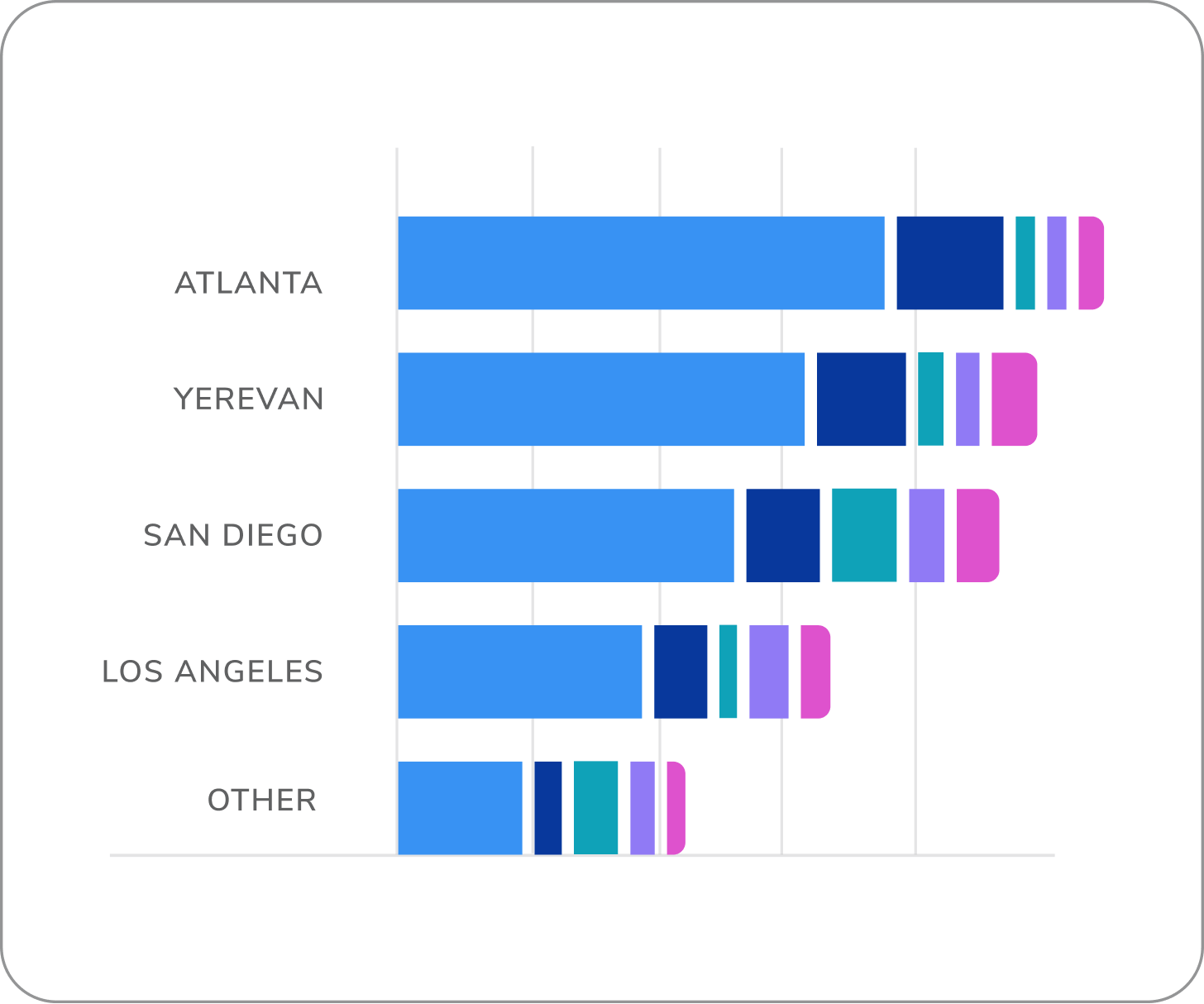
bar chart using categorical color
palette

How to Use

donut chart using 4 variables
Dokeep your data visualizations to 4 variables max
donut chart with 9 variables
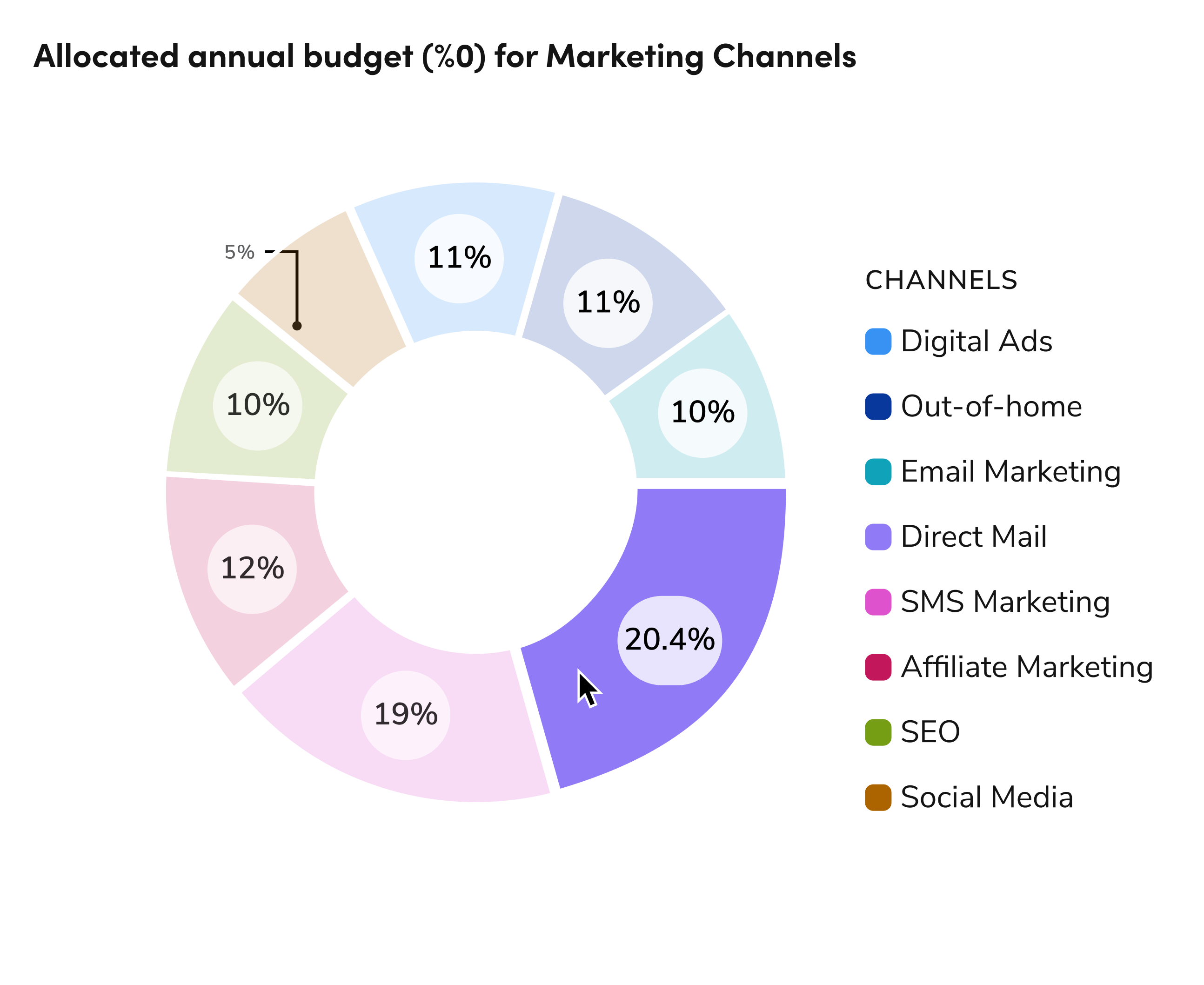
Douse the categorical color palette to clearly show up to 9 categories, grouping extras into an “Other” category and avoiding repeated colors to maintain clarity and consistency.
donut chart with 9+ variables
Don'tuse more than 9 variables. Try to rework it to use fewer.

How to Use

bar chart using 3 variables for each bar
Douse a single, consistent color in stacked bar charts to represent the same category across intervals, apply a stroke to the lightest shade and pattern for accessibility, and use 4px spacing for visibility.
bar chart with 3 variables using categorical palette
Don'tdo not use colors from our categorical palette on charts with less than 5 variables.

Real Example showing a donut chart with 8 variables

categorical dark mode

Questions? Challenges?

Contact the Visual Design team on the #ask-vizd channel
Last modified on January 23, 2026