

Anvil Typography guidelines
Read Anvil’s in-depth typography guidance
1. Headline Guidelines
Keep it concise: Titles should summarize the main insight or takeaway from the visualization. General text recommendation:- Headline - Medium or Small depending on page hierarchy
- Foreground/default
2. Subtitle
Subtitles should be visually secondary to the headline. General text recommendation:- Body text - default
- Foreground/subdued
3. Axis Label Text
Axis label is the descriptive text next to a chart’s x- or y-axis that explains what the axis represents, such as units, categories, or metrics. It helps users interpret the data accurately and should be clear, concise, and consistently styled. General text recommendation:- Eyebrow text - small or medium depending on page hierarchy
- Foreground/subdued
4. Legend Label Text
Legend label is the text used within a chart’s legend to identify what each color, shape, or line represents. It maps visual elements to data categories, helping users quickly understand and differentiate between series or groups in the visualization. General text recommendation:- Eyebrow text - small
- Foreground/subdued
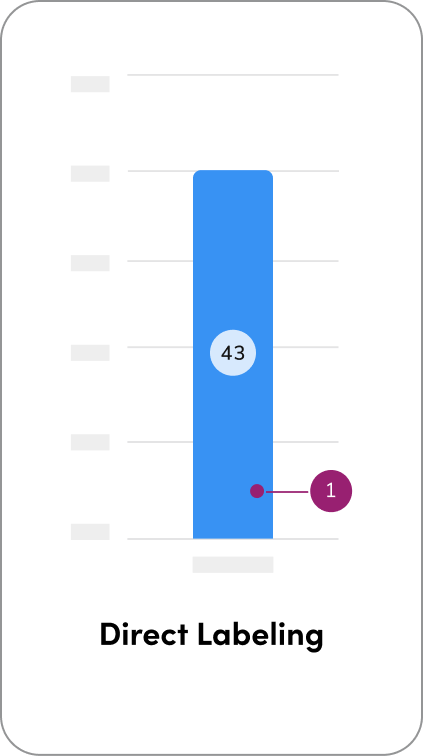
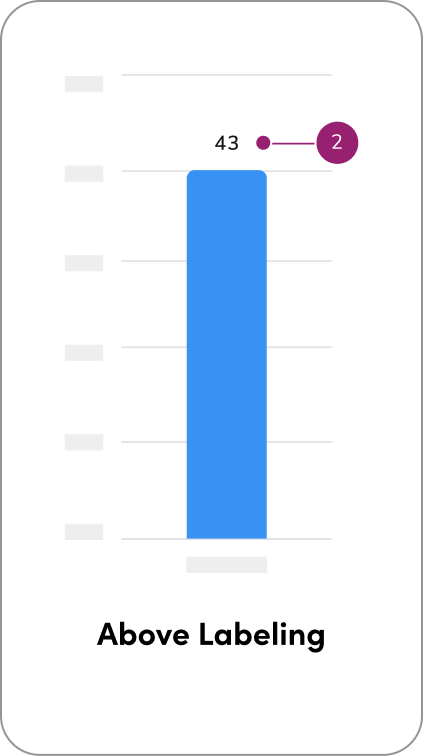
5. Direct Labeling
There are three primary approaches for applying direct labeling in charts, each offering varying levels of visibility and user interaction depending on the complexity of the data.- Direct labeling - Background/default at 80% with 4px padding all around
- Above labeling - Recommend Eyebrow/small text
- Hover-based labeling - Utilize Anvil’s popover or tooltip component
Questions? Challenges?
Contact the Visual Design team on the #ask-vizd channel