Notifications are essential in digital products to alert, warn, or give positive feedback. They give awareness and confidence to the user as they interact throughout the product.
Overview of a
Notification

Message priority

When deciding what to use for a notification, you have to understand how important the message is to the user and/or the system.
ComponentHighMediumLow
Announcement
Dialog
Toast
Alert
Use one of the following criteria for determining notification priority:

High priority

  • Messages that persist across the entire app (system or account level)
  • Messages that require an interruption and user action to proceed
  • Messages that are important for users to see from ST’s perspective - new feature announcement etc.

Medium priority

  • Messages to indicate status of information on a page
  • Messages to indicate status of actions taken, including additional information on how to proceed

Low priority

  • Messages to indicate status of actions taken, without needing additional information or actions

Announcement

Announcement component can be used for high priority notification that is persistent across the entire application. Primary use cases are to notify things such as New Feature or System-Wide status such as “Server is down” or “Unable to connect to the internet” Announcements should not stack and only appear one at a time.

Dialog

Dialog is a component that can be used for notification. It can be used for high priority notification that interrupts user until an action is taken. A primary use case is confirmation of deletion on critical information.

Toast

Toast component can be used as any priority notifications. The notification is not bound to the current page content, and it can notify users about another part of the app. By default, it can stack up to 5 and also queues after 5 showing visually. A primary use case is a notification to show the progress bar.

Alert

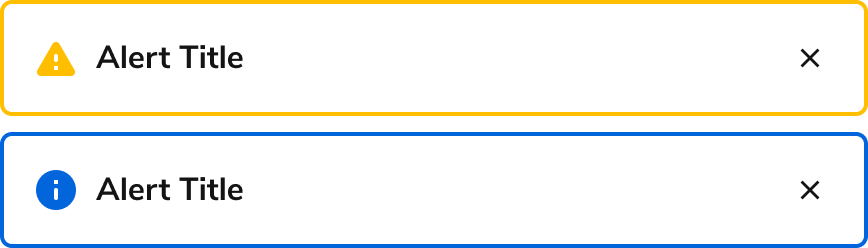
Alert component is used for contextual notifications for items such as a page or a section on a page. It can be used for medium to low priority notification and ideally placed above the related content. A primary use case is to show error messages for a form group. Learn more about this on the error pattern page.

Grouping multiple messages in one Alert

When multiple messages related to a single Alert exist, they can be combined into one summary Alert. This is usually done when multiple error messages need to be displayed.

Multiple Alerts

Multiple Alerts can be used at once, divided by category of information. Order should be based on importance.
Last modified on January 23, 2026